
AI tools are software applications powered by artificial intelligence that use computer algorithms to perform tasks like writing, drawing, analyzing data, and chatting just like a human would.
These programs look at huge amounts of information to find patterns. Once they learn these patterns, they can create new content, answer questions, or finish tedious tasks in seconds. You can read more about how these systems learn on the IBM Artificial Intelligence Guide.
Common Types of AI Tools
- Text and Chat Assistants: Programs that help you write, brainstorm, or answer questions. A popular example is OpenAI ChatGPT.
- Image and Art Creators: Software that turns simple text descriptions into detailed pictures or graphics, such as Midjourney.
- Productivity Helpers: Apps that organize notes, transcribe meetings, or sort emails automatically to save time.
What Are AI Tools? A Beginner-Friendly Overview
While people often think of fancy writing or art generators, the most common artificial intelligence works quietly in the background of your phone or web browser to save you time. You can learn more about these foundational concepts from the Pew Research Center AI Overview.
| App or Feature | What the AI Does | Why It Helps You |
|---|---|---|
| Smart Keyboards | Predicts your next word or fixes typos as you type. | Speeds up text messaging. |
| Google Maps | Analyzes live traffic data to reroute your drive. | Saves time on commutes. |
| Phone Galleries | Groups photos by faces, pets, or locations automatically. | Finds old pictures instantly. |
| Spotify | Studies your listening habits to suggest new songs. | Creates personalized playlists. |
The 7 Main Types of AI Explained
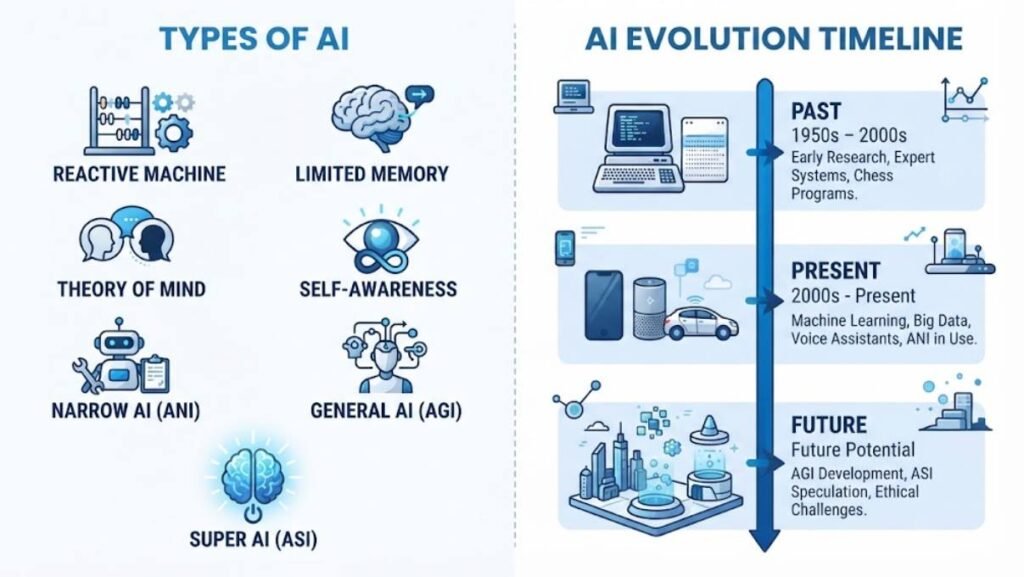
Before we look at apps, it helps to know the types of AI working behind them. IBM explains that AI can be understood in two ways, by capability and by functionality, and it notes that categories can differ and overlap between sources. Many guides combine the two lists to reach seven types. The table below puts them side by side.
| # | Type of AI | Grouped By | Exists Today? | Example |
|---|---|---|---|---|
| 1 | Narrow AI (ANI) | Capability | Yes | Siri, Alexa, ChatGPT |
| 2 | General AI (AGI) | Capability | No, theory | None yet |
| 3 | Super AI (ASI) | Capability | No, theory | None yet |
| 4 | Reactive Machine AI | Functionality | Yes | IBM Deep Blue, |
| 5 | Limited Memory AI | Functionality | Yes | Self-driving cars, ChatGPT |
| 6 | Theory of Mind AI | Functionality | No, theory | Emotion AI is still in development |
| 7 | Self-Aware AI | Functionality | No, theory | None yet |
Narrow AI is the only type that exists today, according to IBM. It means the AI is built for one kind of job and cannot step outside it. For example, a photo app that sorts your pictures by face cannot suddenly write an essay. Every tool in this article is a form of narrow AI, even the very clever ones.
Reactive and limited memory AI describe how a narrow system works inside. A reactive machine has no memory and only responds to what is in front of it, like a chess program judging the board right now. Limited memory AI can use recent and past information to decide what to do, and IBM places generative tools such as ChatGPT in this group. Therefore, when you chat with a bot and it remembers your last message, you are seeing limited memory at work.
The other types are still ideas. Artificial General Intelligence (AGI) would learn and handle any task a human can, and Super AI would go beyond human thinking. Theory of Mind and Self-Aware AI would understand emotions or have a sense of self. So when a headline claims “AI is now conscious,” treat it with caution, because these types remain theoretical. Now let us move from theory to the tools you can actually use.
Best Free AI Tools Online (and Their Real Limits)
Many AI tools have free plans, but those plans almost always come with limits. Most limits are measured in “credits,” which are simply points the tool spends each time you ask it to do something. For instance, a review from Gumloop lists the ElevenLabs free plan at 10,000 credits per month, which is enough to test it but not to run a podcast. So think of a free plan as a test drive, not a full ownership.
| Tool | Free Plan? | Typical Limit to Know About |
|---|---|---|
| ChatGPT | Yes | Usage caps, some features paid |
| Claude | Yes | Usage limits, extra features on paid plans |
| Gemini | Yes | Advanced features sit in paid plans |
| Perplexity | Yes | Limited access to advanced models |
| NotebookLM | Yes | Limits on notebooks/sources; higher tiers require a Google AI subscription plan |
| Canva | Yes | Some AI features need a Pro plan |
| Gamma | Yes | Free plan includes a 400-credit one-time starter pool (does not reset monthly) |
| ElevenLabs | Yes | 10,000 credits a month, restricted commercial use |
| Lovable | Yes | Small daily credits, public projects only |
| Midjourney | No | Paid only |
Limits change often, so treat the table as a snapshot based on 2026 reviews and check each pricing page before you commit. Also watch for quieter restrictions. Some free plans add watermarks, make your projects public, or forbid commercial use, which matters if you plan to sell what you create. Warning: always read the terms before you publish anything made with a free plan.
A smart trick is to stack free tools instead of paying for one. For example, use one chatbot for drafting, a search tool like Perplexity for research, and a design tool like Canva for visuals. That way, you stay under each tool’s free limit while still covering your whole workflow. If you want ideas for saving even more, see our guide on free AI tools that never expire. Next, we compare where you can actually use these tools.
Types of AI Tools by Use Case, With Examples
In practice, most people sort AI tools by what they do. Guides from Lark and Zapier group tools in similar ways, and Zapier’s roundup alone spreads more than 50 apps across well over a dozen categories. The table below shows the most common groups with examples from this guide.
| Use Case | What It Does | Example Tools |
|---|---|---|
| Chat and writing | Answers questions, drafts and edits text | ChatGPT, Claude, Gemini |
| Research and search | Finds and summarizes sources | Perplexity, NotebookLM |
| Grammar and polish | Fixes tone, spelling and clarity | Grammarly |
| Image and design | Creates pictures and layouts | Midjourney, Canva |
| Video and audio | Generates or edits clips and voices | Runway, Descript, ElevenLabs |
| Coding and app building | Suggests code or builds simple apps | GitHub Copilot, Lovable |
| Presentations | Turns notes into slides | Gamma |
| Meetings | Records calls and writes summaries | Fathom |
Five of these tools do not appear in the Top 10 list later, so let us meet them here. Grammarly checks your writing as you type, so an email that sounds harsh can be softened with one click. Runway generates short video clips from a text description, which helps marketers who need quick background footage. Descript lets you edit audio and video by editing the written transcript, so deleting a word from the text removes it from the recording.
Two more tools save time at work. Fathom joins your online meetings, records them, and sends you a summary with action items afterward. Lovable builds simple apps and websites from plain-language instructions, which is often called “no-code” because you do not write the code yourself. Quick tip: start with the group that matches your biggest daily headache, because one well-chosen tool beats five half-used ones. Next, let us look at the ten tools that stand out the most.
Top 10 Most Powerful AI Tools in 2026
“Powerful” depends on the job, so this list is not a ranking. These tools appear again and again in 2026 roundups from sources such as Gumloop, Synthesia and Lark, and each one does something distinct. Here is a quick look at each.
- ChatGPT: A flexible all-round assistant for writing, brainstorming and analyzing uploaded documents.
- Claude: Often praised for long documents, careful writing and coding help.
- Gemini: Google’s assistant, which connects with tools such as Gmail and Docs.
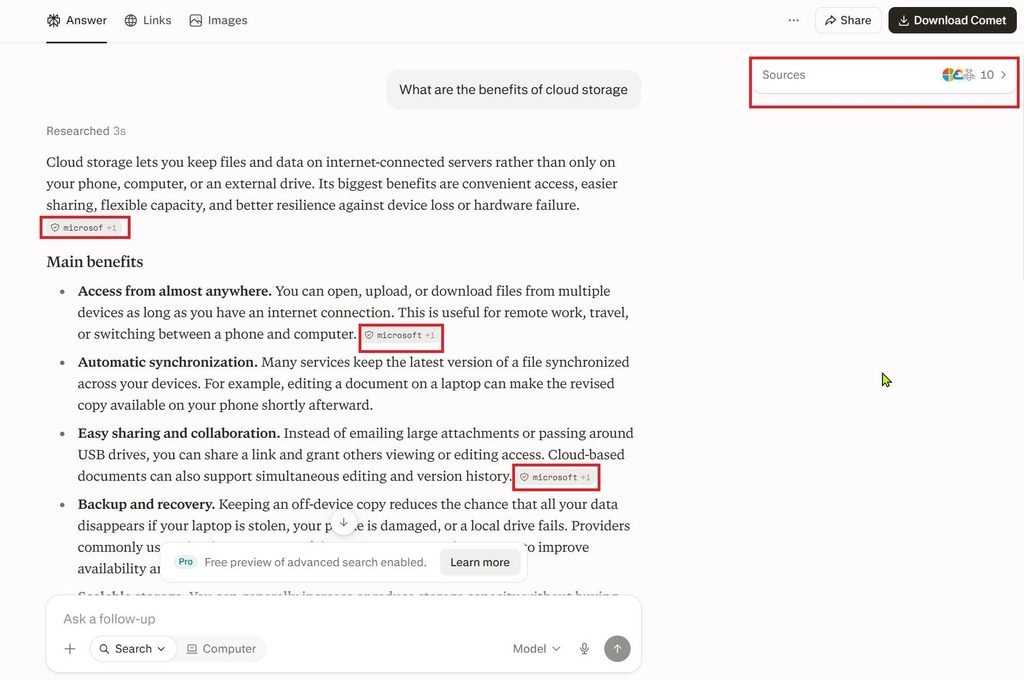
- Perplexity: An AI search engine that shows the sources behind its answers.
- NotebookLM: Answers questions using only the notes and files you upload, and can create audio summaries.
- GitHub Copilot: Suggests code inside a programmer’s editor as they type.
- Midjourney: Known for high-quality, artistic images from text prompts.
- ElevenLabs: Creates realistic voiceovers from written text.
- Canva: A drag-and-drop design tool with built-in AI features for graphics and slides.
- Gamma: Turns rough notes into clean presentations, documents and web pages.
You do not need all ten. In fact, most people do well with one chatbot, one research tool, and one tool for their specific craft. Instead of signing up everywhere, test two or three on a real task from your week. Here is a copy-ready prompt that works in almost any chatbot:
Explain [topic] to me like I am a complete beginner. Use a simple analogy, give one real-world example, and finish with three questions I can use to test myself.After you try it, you will quickly see which tool matches your style. Meanwhile, price is the next big question, so let us look at free plans.
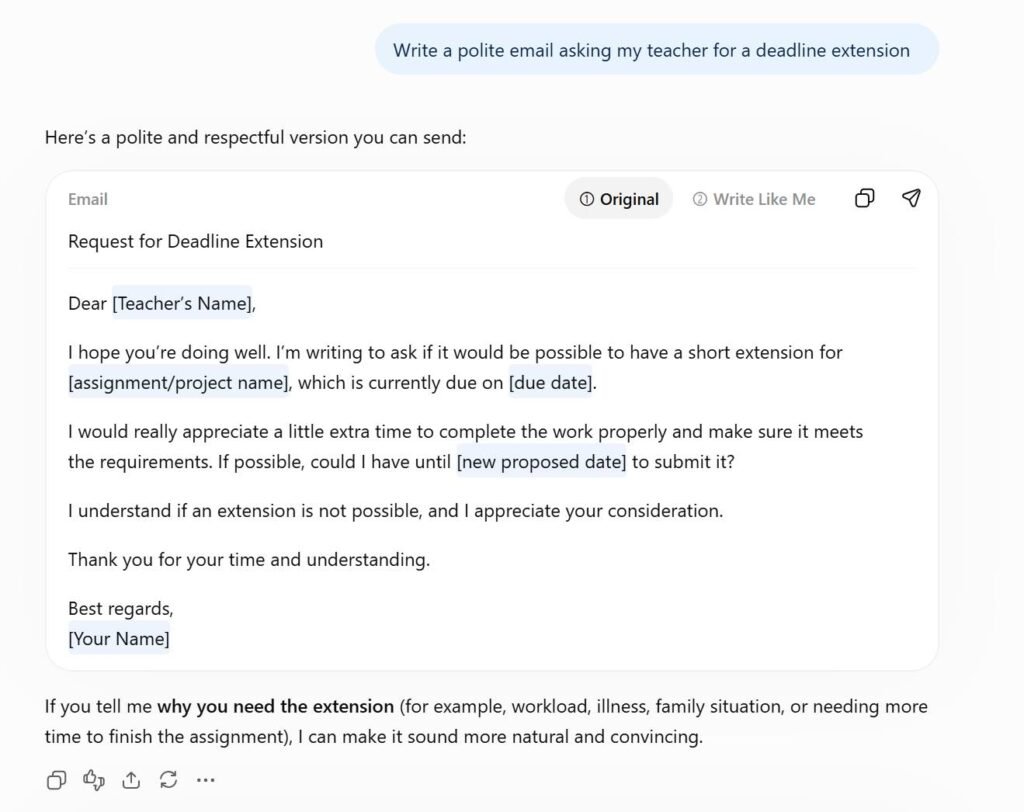

Prompt : A sunset over mountains with a lake in front

Prompt : A sunset over mountains with a lake in front
Best AI Software for PC: Desktop vs. Web vs. Mobile
Many people search for “AI software for PC free download,” but most AI tools do not need a download at all. A web app runs inside your browser, a desktop app installs on your computer, and a mobile app lives on your phone. For example, according to Simular’s 2026 testing, ChatGPT is available on the web, iOS, Android, macOS and Windows. In short, the same tool often comes in several formats.
| Tool | Web Browser | Desktop (PC or Mac) | Mobile |
|---|---|---|---|
| ChatGPT | Yes | Yes, Windows and macOS | iOS, Android |
| Claude | Yes | Yes, Windows and macOS | iOS, Android |
| Gemini | Yes | Yes, native apps for Windows and macOS | iOS, Android |
| Perplexity | Yes | Yes, native Windows and macOS (“Personal Computer”) apps | iOS, Android |
| GitHub Copilot | Yes (via GitHub.com) | Inside code editors & standalone desktop app (Windows, Mac, Linux) | Yes, integrated into the GitHub Mobile app |
GitHub Copilot works differently because it lives inside an IDE, short for Integrated Development Environment, which is the program developers use to write and test code. So it is mainly for people who already code on a PC. Besides that, each format has its own strengths. Web apps need no installation and run well even on an older laptop, while desktop apps can work more closely with your files, and mobile apps are best for quick questions on the go.
Warning: only download AI software from the official website or a trusted app store. Fake installers often copy the names of popular tools, and they can hide malware. When in doubt, use the web version, because it needs nothing installed. Now let us look at tools made especially for learning.
Best AI Tools for Students

Students can use AI like a study partner, as long as they still do the thinking. Think of it as a patient tutor available at midnight, not a ghostwriter who finishes your homework. Used well, AI explains hard ideas in simpler words and gives you instant practice. Here are tools that fit student life:
- NotebookLM: Upload class notes and ask questions about them. It can also create a podcast-style audio recap, according to Synthesia.
- Quizlet: Builds flashcards and practice games that help with memorizing.
- Grammarly: Flags unclear sentences and tone problems in essays.
- Perplexity: Shows sources, so you can check where an answer came from.
- GitHub Copilot: Lark reports it is free for verified students and teachers, which helps computer science learners.
Here is a copy-ready study prompt you can paste into any chatbot:
Act as a friendly tutor. I am studying [subject]. Quiz me with five questions, one at a time. After each answer, tell me if I am right and explain why in simple words.However, a few rules keep you safe. Check your school’s policy on AI use, because rules differ widely. Also, AI can be confidently wrong, so verify facts with your textbook or teacher before you rely on them in an exam answer. For more study help, read our guide on how to write better AI prompts. Of course, many readers still wonder whether another tool beats ChatGPT, so let us tackle that next.
Which AI Is Better Than ChatGPT?
No single AI beats ChatGPT at everything, and ChatGPT does not beat every rival either. Instead, the better question is which tool fits your task. For example, if you need to read a very long report, a tool with a large context window may help. A context window is the amount of text an AI can hold in mind at one time, a bit like the size of your desk when you spread out papers. The table below matches common needs with strong options, based on how reviewers such as Simular and Synthesia describe them.
| If You Need | Consider | Why It Often Fits |
|---|---|---|
| Long documents and careful writing | Claude | Praised for handling lengthy, detailed files |
| Help inside Gmail, Docs and Drive | Gemini | Built into Google’s own apps |
| Answers with visible sources | Perplexity | Shows citations next to its answers |
| Answers from your own notes | NotebookLM | Works from the files you upload |
| AI inside Word, Excel and Outlook | Microsoft Copilot | Lives inside Microsoft’s office apps |
| Code suggestions while you type | GitHub Copilot | Works inside popular code editors |
Quick tip: run the same prompt in two tools and compare the results side by side. Doing so takes five minutes and teaches you more than any review. In the end, many people use ChatGPT for general tasks and one specialist tool for their main job. With that in mind, here is a simple way to choose.
How to Choose the Right AI Tool for Your Goal
Choosing well starts with your goal, not with the tool. Many people sign up for everything and then abandon most apps, which Lark calls “app fatigue.” To avoid it, follow these four steps:
- Name one task. For example, “write weekly client emails” or “summarize lecture notes.”
- Check where you already work. If you live in Google Docs, Gemini may fit well, and if you use Microsoft Office, Copilot may be easier.
- Review the free plan limits and privacy settings. Make sure the free version covers your task.
- Test with real work. Use a genuine task from this week, not a demo.
Why does testing matter so much? A Zapier survey of 1,100 enterprise AI users found that 52% said their AI research and fact-finding often needed fixing afterward. So a tool that looks great in a demo may still need a human check in real life. If you are unsure where to begin, paste this prompt into a chatbot:
I am a [your role]. I spend most of my day in [apps you use]. My biggest time-waster is [task]. Recommend three AI tools, explain what each does in one sentence, and tell me which has a free plan.Then compare its suggestions with the tables in this guide. For a deeper walkthrough, see our beginner’s guide to AI workflows. Now let us put all 15 tools in one place.
AI Tools Comparison Table
Here is every tool from this guide in a single view. Use it as a quick reference, and then visit each official site for current prices. Pricing and limits shift often, so the free-plan column reflects 2026 reviews from the sources linked earlier.
| # | AI Tool Name | Primary Use Case | Pricing Tier |
|---|---|---|---|
| 1 | OpenAI ChatGPT | All-Purpose Assistant | Free / $20 per month |
| 2 | Anthropic Claude | Advanced Writing & Code | Free / $20 per month |
| 3 | Google Gemini | Workspace Integration | Free / $20 per month |
| 4 | Perplexity AI | Research & Fact-Checking | Free / $20 per month |
| 5 | Cursor | Software Engineering | Free / $20 per month |
| 6 | NotebookLM | Study & Document Analysis | Completely Free |
| 7 | Midjourney | AI Image Generation | Paid (Starts at $10/mo) |
| 8 | ElevenLabs | Voice & Audio Generation | Free tier / Paid from $5/mo |
| 9 | Runway | Generative Video Production | Free tier available / Paid |
| 10 | Grammarly | Writing Polish & Editing | Free tier / Paid from $12/mo |
| 11 | n8n | Workflow Automation | Free tier / Paid options |
| 12 | Jasper | Marketing & Ad Copy | Paid (Starts at $39/mo) |
| 13 | Notion AI | Team Productivity | Paid ($8–$10/mo add-on) |
| 14 | Synthesia | Corporate Training Videos | Paid (Starts at $22/mo) |
| 15 | Gamma AI | Pitch Decks & Presentations | Free tier / Paid options |
Limitations and Safe Use of AI Tools
AI tools offer impressive efficiency, but they function on mathematical probabilities rather than true logical understanding. This means they can confidently state falsehoods as facts, pass on algorithmic bias, and present security vulnerabilities for sensitive information. Recognizing these technical boundaries is necessary to avoid professional errors, academic problems, and data privacy leaks.
The Major Technical Vulnerabilities
- Hallucinations: Large language models are built to predict the next logical word in a sentence rather than to double-check facts. They can invent non-existent research studies, historical dates, or legal cases with absolute structural confidence.
- Inherited Bias: Because AI programs train on vast historical datasets from the internet, they naturally inherit the biases, stereotypes, and cultural prejudices present in those source texts.
- Data Training Cutoffs: Many systems rely on static training cutoffs. Relying on them for breaking news, volatile financial advice, or newly updated laws can lead to inaccurate conclusions.
AI detectors deserve a special warning too. Many institutions treat these detectors as infallible truth-tellers. Yet, major language models and academic research show they cannot consistently distinguish between human text and machine-generated prose. According to a widely cited Stanford HAI Research Study, popular AI detectors falsely flagged over 61% of TOEFL essays written by non-native English speakers as machine-generated. Meanwhile, the same tools achieved near-perfect accuracy when grading essays written by native U.S. eighth-graders.
FAQs
What are the 5 best AI tools?
It depends on your goal, but a strong starter set is ChatGPT, Claude, Gemini, Perplexity and NotebookLM. Together they cover writing, research, Google apps and studying from your own notes. However, someone who designs or codes all day may swap in Canva or GitHub Copilot.
What are the four types of AI tools?
A common grouping sorts tools into text, visuals, code, and audio or video. Others add productivity tools such as meeting notes and scheduling. Do not confuse this with the four functional types of AI from IBM, which are reactive machine, limited memory, theory of mind and self-aware.
What are the 7 main types of AI?
Many guides count three types by capability (narrow, general and super AI) and four by functionality (reactive machine, limited memory, theory of mind and self-aware). Only narrow AI exists today, according to IBM. See the table earlier in this guide for details.
What are 10 popular AI tools?
Ten widely used tools are ChatGPT, Claude, Gemini, Perplexity, NotebookLM, GitHub Copilot, Midjourney, ElevenLabs, Canva and Gamma. Each one is explained in the Top 10 section above.
What is the best AI software to get?
There is no single best option. Start with a free chatbot and one tool for your main task, such as Canva for design or GitHub Copilot for coding. After a few weeks, keep only what you actually use.
What AI is better than ChatGPT?
Some tools are stronger for specific jobs. Claude is often praised for long documents, Gemini fits Google users, and Perplexity shows its sources. Testing the same prompt in two tools is the fastest way to decide.
What is the main AI software?
No single program holds that title. ChatGPT is widely seen as a leading general assistant, but “main” depends on your needs. Many people combine a general chatbot with one specialist tool.