
AI study chatbot prompts can save you when you have 60 slides, one exam, and zero hours to rewrite them. Here are 12 copy-and-paste prompts built for nursing notes. Paste your notes, pick a prompt, and get a clean summary in minutes.
The problem
Hours lost rewriting dense lecture notes by hand, right when you should be practicing questions.
The fix
Short, structured prompts that turn raw notes into summaries, drug tables, flashcards, and practice questions.
Nursing notes are not like other notes. They are packed with drug classes, lab ranges, disease processes, and care steps. One missed detail can cost you points. And one wrong detail from an AI can cost you more.
So this guide does two things. It gives you AI study chatbot prompts that save time. It also shows you how to check the output, so you study facts instead of guesses. New to chatbots? Start with what an AI chatbot is. If you want to explore more chatbots after this, our AI tools hub is a good next stop.
Why Rewriting Lecture Notes by Hand Costs You Hours (and What AI Study Chatbot Prompts Fix)
Let’s do quick math. Say one lecture takes you 90 minutes to rewrite. You have six lectures before the exam. That is nine hours of copying, and you have not tested yourself once.
Here is the catch. Rewriting feels productive, but it is mostly passive. A well-known review of study methods by Dunlosky and colleagues rated practice testing and spaced practice as the most useful techniques. Summarizing, highlighting, and rereading landed in the low-utility group. You can read the plain-English version in this ScienceDaily report.
That does not mean summaries are useless. It means a summary is a starting point, not the finish line. This is where AI study chatbot prompts help.
- They do the slow part for you. The chatbot cleans up and organizes your notes in minutes.
- They free up time for what works. You spend the saved hours on quizzes and recall.
- They fit your format. Tables for drugs, steps for care plans, cards for flashcards.
The rule to remember: use AI to summarize fast, then use the time you saved to test yourself.
How to Write an AI Study Chatbot Prompt That Actually Works
Vague prompts get vague answers. “Summarize this” gives you a wall of text. A good prompt gives the chatbot a clear job. Both OpenAI’s prompt guide and Anthropic’s prompting guide push the same basics: be clear, give context, and say what format you want.
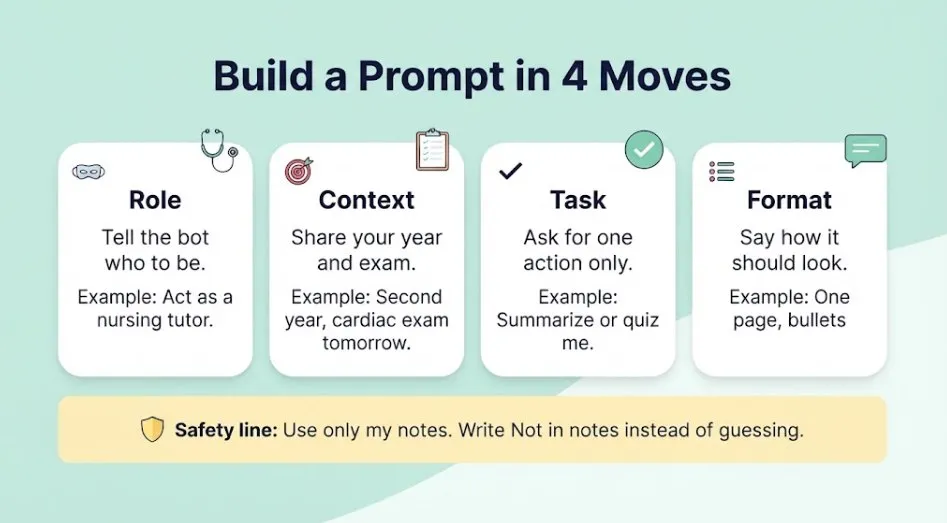
Use four parts every time:
- Role. Tell it who to be. “Act as a nursing tutor.”
- Context. Give your level and goal. “I’m a second-year nursing student with a cardiac exam tomorrow.”
- Task. Ask for one clear action. “Summarize,” “make a table,” “quiz me.”
- Format. Say how you want it. “One page, bullet points, plain language.”
Then add one safety line that matters most for nursing:
Use only the information in my notes. If something is missing, write "Not in notes" instead of guessing. Do not add doses, ranges, or numbers that are not in my notes.I use that line in most of the prompts below. It keeps the chatbot from filling gaps with confident-sounding guesses.
Quick habit: end any prompt with “Ask me questions first if anything is unclear.” The chatbot will clarify before answering, and the output gets better.
How to Prep Dense Nursing Lecture Notes Before You Paste Them
Five minutes of prep gives you much better summaries. Do these three things first.
1. Chunk your notes
Do not paste 80 slides at once. Long inputs get skimmed, and details get dropped. Split by topic instead: one disease, one drug class, or 10 to 15 slides per chunk. Label each chunk so the chatbot knows where it fits, like “Part 2 of 5: Heart failure.”
2. Clean up slides and PDFs
Copy the text from slides or the PDF. Delete page numbers, repeated headers, and logos. If a slide is a chart or image, type one line describing what it shows. If you upload a file instead, check that the chatbot actually read it by asking, “List the main headings you found.”
3. Remove patient information
This one is not optional. If your notes come from clinical placements, they may contain details about real patients. Strip out names, birth dates, room numbers, record numbers, and anything else that could point to a person. The U.S. Department of Health and Human Services explains what counts as identifiable in its HIPAA de-identification guidance.
When in doubt, leave it out. Use “a 68-year-old patient with heart failure” instead of real details. Also check your school’s and placement site’s rules on AI tools. This is general information, not legal advice.
12 Copy-and-Paste AI Study Chatbot Prompts to Summarize Lecture Notes Fast
Copy a prompt. Replace anything in [brackets]. Paste your notes at the end. They work in ChatGPT, Claude, Gemini, and most other chatbots.
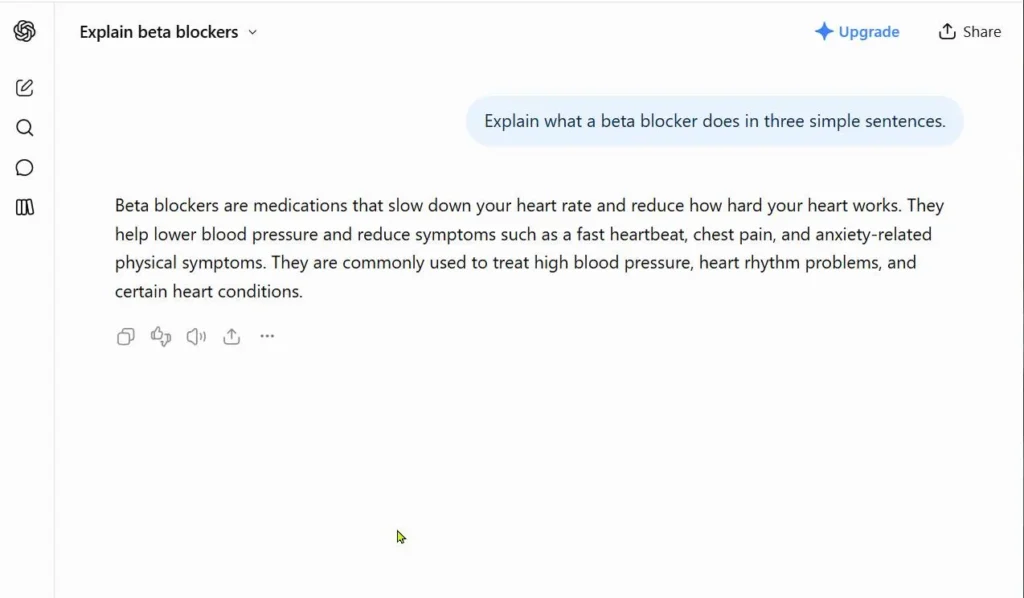
AI Study Chatbot Prompts 1 to 4: Summarize
Prompt 1: The one-page summary. Use this when you need the big picture of a lecture fast.
Act as a nursing tutor. I'm a [year] nursing student studying [topic] for a [quiz/midterm/final].
Summarize my notes on one page with:
1. The main idea in two sentences
2. The 5 to 7 most important points
3. Key terms with short definitions
4. Three things my instructor is most likely to test
Use plain language. Use only my notes. If something is missing, write "Not in notes."
My notes: [paste]
Prompt 2: The bullet summary. Use this for a quick review before class or a clinical day.
Turn my notes into bullet points grouped under clear headings.
For each heading, give me: what it is, why it matters, and what a nurse should do or watch for.
Keep each bullet under 15 words. Bold the terms I must memorize.
Use only my notes. Do not add numbers that are not in my notes.
My notes: [paste]
Prompt 3: Slides to real notes. Use this when your slides are just fragments and keywords.
Below is text copied from my lecture slides on [topic]. The slides are only keywords and fragments.
Turn them into short, clear study notes. Expand each bullet into one or two plain sentences.
Show how the ideas connect. Mark anything that looks incomplete with "Check this."
Do not add facts that are not in the slides.
Slide text: [paste]
Prompt 4: The long PDF, one chunk at a time. Use this for big chapters and long decks.
I'm going to send you a long chapter in [number] parts. For each part, reply with a short summary (max 150 words) and a list of key terms.
Do not combine parts until I say "FINAL."
When I say "FINAL," merge all summaries into one organized study sheet with headings.
Use only my text. This is Part 1 of [number]: [paste]
AI Study Chatbot Prompts 5 to 8: Nursing-Specific
These four follow the way nursing exams ask questions. They are the ones most generic prompt lists leave out.
Prompt 5: Pathophysiology. Use this to understand a disease, not just memorize it.
Organize my notes on [disease] in this order:
Cause, then what happens in the body, then signs and symptoms, then complications, then nursing priorities.
Explain the "why" behind each sign in one simple sentence.
Use only my notes. If a step is missing, write "Not in notes."
My notes: [paste]
Prompt 6: Drug table. Use this for pharmacology, where details pile up fast.
Make a table from my pharmacology notes with these columns:
Drug name | Class | How it works | Main uses | Key side effects | Nursing considerations | Patient teaching
Use only my notes. Leave a cell as "Not in notes" if I did not include it.
Do NOT add doses, ranges, or interactions that are not in my notes.
My notes: [paste]
Prompt 7: Lab values. Use this to turn a messy lab slide into something you can learn.
From my notes, build a lab values table with:
Lab | Normal range (exactly as written in my notes) | What a high value can mean | What a low value can mean | Nursing action
Do not fill in any range that is not in my notes. Write "Not in notes" instead.
After the table, list the 5 labs I should memorize first and why.
My notes: [paste]
Prompt 8: Care plan. Use this when a lecture covers assessment and interventions for a condition.
Using my notes on [condition], draft a study outline for a care plan:
Assess (what to look for), Diagnose (likely problems), Plan (goals), Implement (nursing actions with reasons), Evaluate (how I know it worked).
Keep each section to 3 to 5 bullets. Use only my notes.
This is for studying, not for real patient care.
My notes: [paste]
AI Study Chatbot Prompts 9 to 12: Study and Recall
This is the part that matches what the research says works. Summaries get you organized. These prompts make you recall.
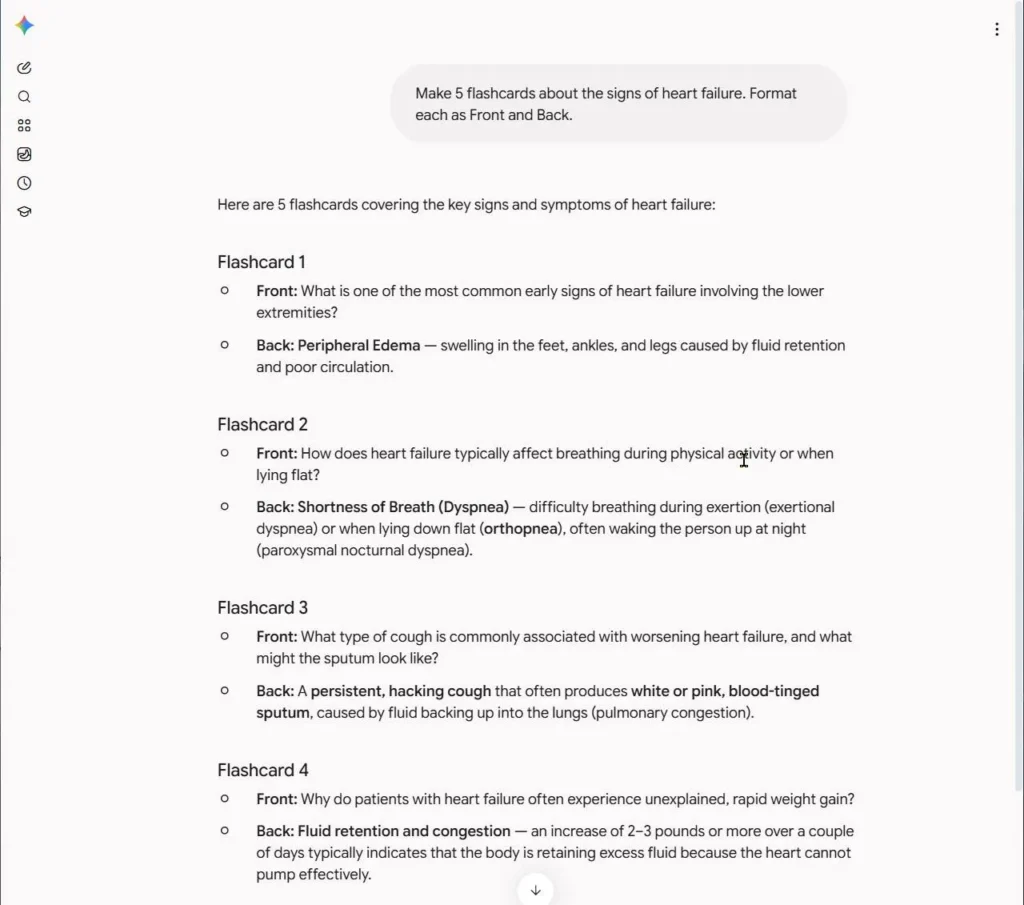
Prompt 9: Flashcards. Use this to turn a summary into cards you can drill.
Make 20 flashcards from my notes on [topic].
Format each as: Front | Back
Mix definitions, "why does this happen" questions, and "what would the nurse do" questions.
Keep answers under 20 words. Use only my notes.
My notes: [paste]
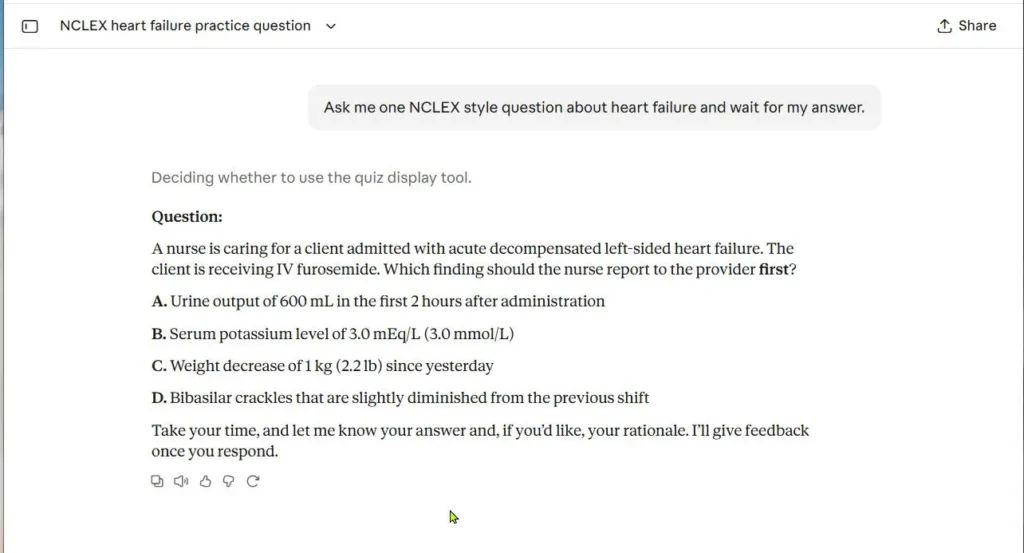
Prompt 10: NCLEX-style quiz. Use this to practice thinking, not just remembering. The NCLEX now tests clinical judgment through case studies, as explained in this overview of the six clinical judgment skills. Your practice should feel similar.
Act as a nursing exam writer. Based only on my notes on [topic], write 5 NCLEX-style multiple-choice questions.
Each question should give a short patient scenario and ask what the nurse should do first or notice first.
Ask me ONE question at a time. Wait for my answer.
Then tell me if I'm right, explain why each wrong option is wrong, and move to the next question.
My notes: [paste]
Prompt 11: The gap finder. Use this after you have made your own summary or cheat sheet.
Below are my original lecture notes and my own summary of them.
Compare the two. Tell me:
1. Important points from the notes that my summary left out
2. Anything in my summary that does not match the notes
3. Three questions I should be able to answer but may not be able to
Notes: [paste]
My summary: [paste]
Prompt 12: Mnemonics. Use this for long lists you keep forgetting.
From my notes, find the lists I need to memorize (signs, steps, side effects, causes).
For each list, create a short, memorable mnemonic and explain what each letter stands for.
Keep them simple. If a list is too long, split it into two mnemonics.
Use only items that are in my notes.
My notes: [paste]
Heads up: a mnemonic helps you remember a list. It does not prove the list is right. Check every list against your textbook before you memorize it.
Which AI Study Chatbot Prompt Should You Use? A Quick Chooser by Situation
Not sure where to start? Find your situation below.
| Your situation | Start with | Then | Why |
|---|---|---|---|
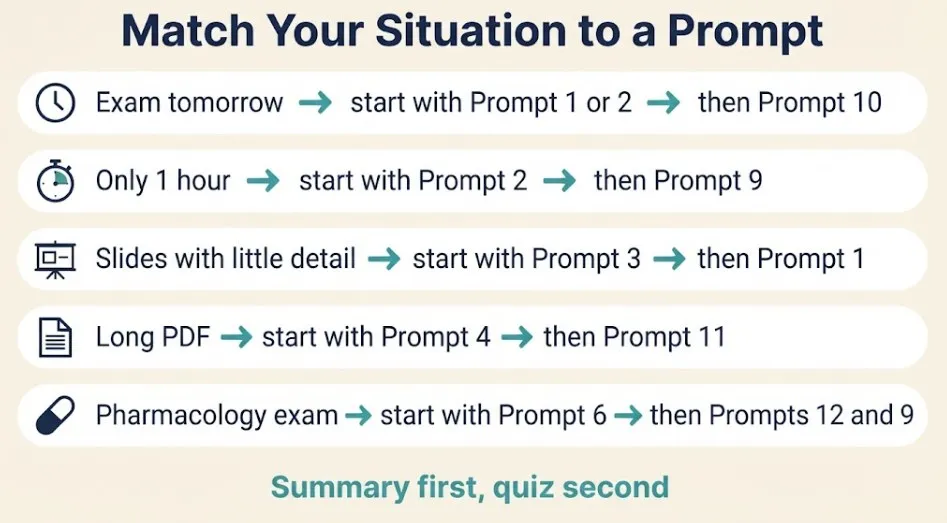
| Exam tomorrow, lots of notes | Prompt 1 or 2 | Prompt 10, then 11 | Fast overview, then test yourself |
| Only 1 hour | Prompt 2 | Prompt 9 | Quick bullets, then cards to drill |
| Slides with no detail | Prompt 3 | Prompt 1 | Fill out the fragments first |
| 60+ slides or a long PDF | Prompt 4 | Prompt 11 | Chunks keep details from getting lost |
| Pharmacology exam | Prompt 6 | Prompts 12, 9 | Table, then memory tools |
| Lab values or med-surg | Prompt 7 or 5 | Prompt 10 | Learn the “why,” then practice it |
| Clinical or care plan prep | Prompt 8 | Prompt 10 | Connect actions to reasons |
If you build a study system you like, save these prompts in a notes app. Our productivity hub has more ideas for organizing your study week.
How to Cram With AI in 24 Hours: A Step-by-Step Prompt Chain
Let’s be honest. Spreading your study over days works better than cramming. The same research on study strategies found that spacing and self-testing beat last-minute marathons. But sometimes you only have a day. Here is the best way to use it.
- Hours 0 to 2: Summarize. Chunk your notes. Run Prompt 1 or 2 on each chunk. For drugs and labs, use Prompts 6 and 7.
- Hours 2 to 4: Quiz yourself. Run Prompt 10 on each topic. Answer out loud or on paper before you look at the rationale.
- Hours 4 to 5: Fix gaps. Write down every question you missed. Ask the chatbot, “Explain this again in simpler words, then ask me a similar question.”
- Hours 5 to 6: Check the facts. Compare doses, ranges, and key numbers against your textbook or drug guide. Fix your notes.
- Sleep. Yes, really. Memory settles while you rest, and you think better on test day.
- Morning: Quick recall. Run Prompt 9 flashcards or redo the questions you missed. Skip new material.
Use this chain in one chat, so the chatbot remembers the topic. If the conversation gets long and messy, start a new chat and paste your latest summary.
How to Check AI Summaries for Clinical Accuracy Before You Study Them
AI can sound sure and still be wrong. This is called a hallucination. In most subjects, a wrong fact costs you a point. In nursing, you could memorize something unsafe. So build a quick check into your routine.
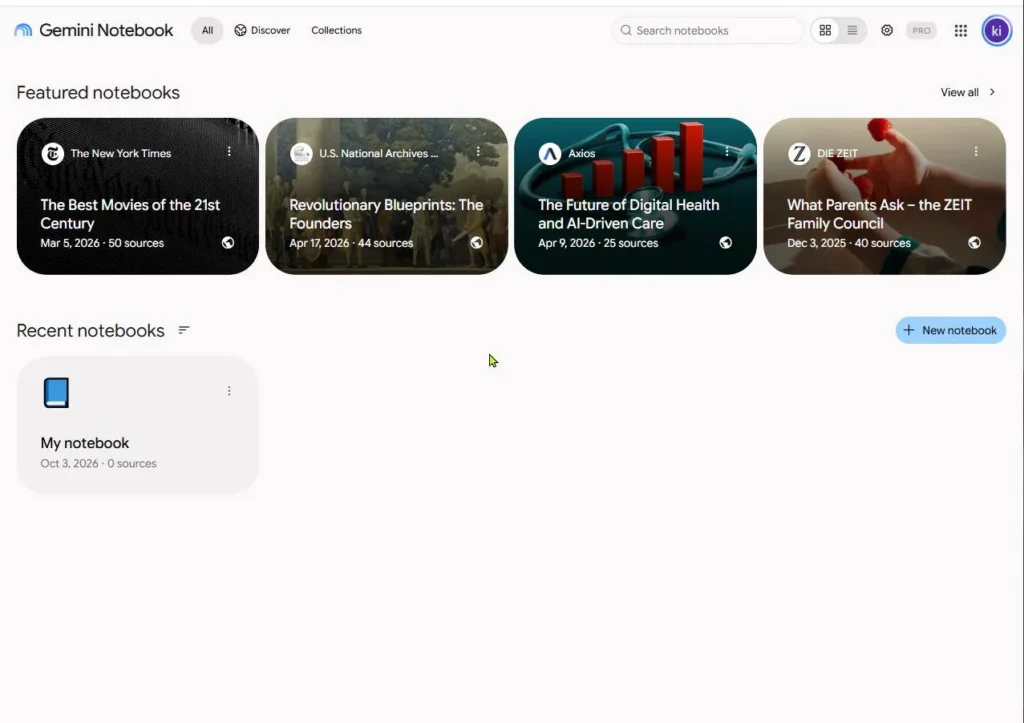
Even tools built to stay close to your sources say you should verify. When Google launched NotebookLM, it explained that grounding the AI in your own documents seems to reduce hallucinations. It still told users to fact-check responses against the original material.
Use this five-step check:
- Check every number. Doses, lab ranges, rates, and timeframes. Compare them to your textbook, your instructor’s slides, or your school’s drug reference.
- Look for “Not in notes.” If the chatbot flagged gaps, fill them from a trusted source, not from the chatbot.
- Ask for the source line. Try: “For each key point, quote the exact line from my notes that supports it.” If it cannot, treat the point as unverified.
- Watch for added facts. If you see details that were never in your notes, ask, “Where did this come from?”
- Trust your instructor first. If the AI and your course materials disagree, your course materials win. Ask your instructor if it is still unclear.
Important: these prompts are for studying only. They are not medical advice and must never guide real patient care. Editorial note: this guide was drafted with AI assistance, then read and fact-checked by a human editor before publishing (last reviewed November 2026). Read our full disclaimer, and learn more about who we are on our About page.
Common Mistakes When Using AI Study Chatbot Prompts to Summarize Lecture Notes
Pasting everything at once. A giant paste gets a shallow summary. Chunk your notes first.
Skipping the “use only my notes” line. Without it, the chatbot fills gaps from its own memory. That is where wrong doses and ranges sneak in.
Reading the summary and stopping. A neat summary feels like learning. It is not. Quiz yourself right after, using Prompt 10 or 9.
Asking for too much in one prompt. One task per prompt works better. Summarize first, quiz second, mnemonics third.
Sharing patient details. Even a small detail can identify someone. Clean your notes before you paste.
Ignoring school rules. Policies on AI vary by program and instructor. Using AI to study is usually different from using it to write graded work, but check your syllabus. When in doubt, ask.
Turn Your AI Summary Into Flashcards and a Printable Study Sheet
A summary you never use is wasted time. Turn it into something you can drill.
For flashcards: run Prompt 9. Because the cards come out as “Front | Back,” you can paste them into a spreadsheet and split them into two columns. Most flashcard apps, such as Anki and Quizlet, let you import from a spreadsheet or text file. Check your app’s import steps first, since the format rules differ.
For a printable study sheet: use this prompt after your summaries are checked.
Combine my checked summaries into one study sheet I can print on two pages.
Use clear headings, short bullets, and one table for any drug or lab content.
End with a "Top 10 things to remember" box.
Do not add anything that is not in the summaries below.
Summaries: [paste]
Then do the important part. Cover the sheet, and try to write out the main points from memory. Check what you missed. That is practice testing, and it is what the research backs.
For more study methods and how-tos, browse our Learn hub.
Best Free AI Study Chatbots for Summarizing Notes
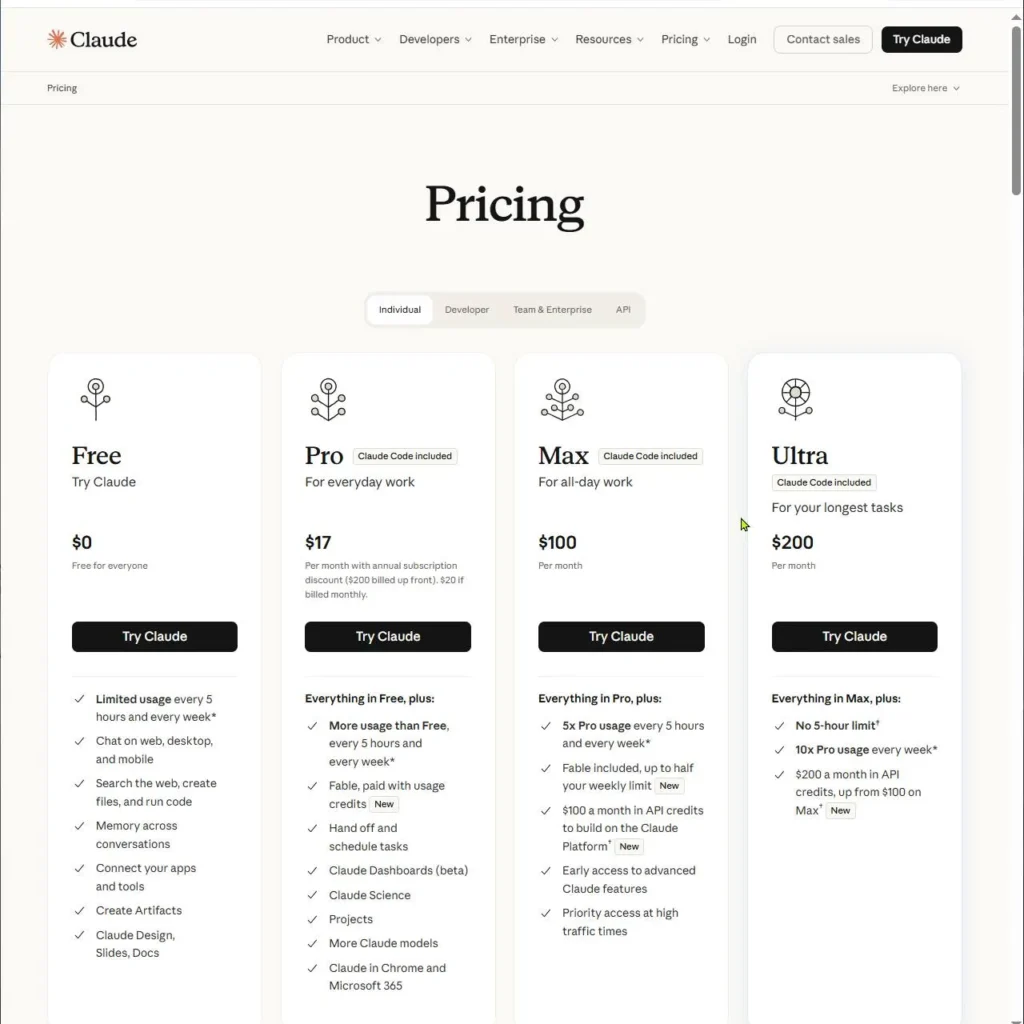
Here is a fair take. Every prompt above works in any major chatbot, so the best one is often the one you already use. Free plans, limits, and file-upload rules change often, so check each tool’s pricing page before you plan around it.
| Tool | Good for | Watch out for |
|---|---|---|
| ChatGPT | All-round prompts, quizzes, flashcards, back-and-forth practice | Can add facts that are not in your notes. Check numbers. |
| Claude | Working through long, detailed notes and clear explanations | Free-plan limits can slow a big cram session. Check numbers. |
| Gemini | Students already using Google tools and Docs | Same rule: verify doses and ranges. |
| NotebookLM | Notes that stay tied to your own uploaded sources, with citations | Built around your sources, so you still need to fact-check against them. |
Our rule: if your goal is quick summaries and quizzes, pick one chatbot and stick with it. If you want answers tied closely to your own documents, try a source-grounded tool like NotebookLM, which Google describes as grounding the AI in the sources you choose. Want to compare more options? See our AI tools category.
Frequently Asked Questions
What is the best AI study chatbot prompt to summarize lecture notes fast?
Start with Prompt 1 (the one-page summary) or Prompt 2 (bullets). Both give the chatbot a role, your context, one task, and a format. Add the line “Use only my notes” to keep it from guessing.
Can I summarize a PDF for study for free?
Often, yes, but it depends on the tool and its current free limits. The safest method is to copy the text, split it into chunks, and use Prompt 4. If you upload the file, ask the chatbot to list the headings it found to confirm it read the whole thing.
What do students on Reddit say about AI study prompts?
Opinions there vary and change quickly, so treat threads as ideas to test, not proof. If you try a tip, run it on a small chunk of notes first. Anything about doses, lab ranges, or clinical steps should still be checked against your textbook.
Is it safe to paste my clinical notes into a chatbot?
Only if you remove everything that could identify a patient first. See the HHS de-identification guidance for what counts as identifiable, and follow your school’s and placement site’s rules. When unsure, leave the detail out or don’t paste the note.
Can AI replace my textbook or drug guide?
No. Use AI to organize and quiz. Use your textbook, instructor materials, and an approved drug reference as the source of truth for facts.
Is using AI to study considered cheating?
It depends on your school and instructor. Using AI to understand material and practice is commonly allowed, but handing in AI-written work as your own is not. Read your syllabus and ask if it is unclear.
How much text should I paste at once?
Think one topic at a time, or about 10 to 15 slides. Smaller chunks give more detailed summaries and make errors easier to catch. You can merge the results later with Prompt 4.
Final Thoughts
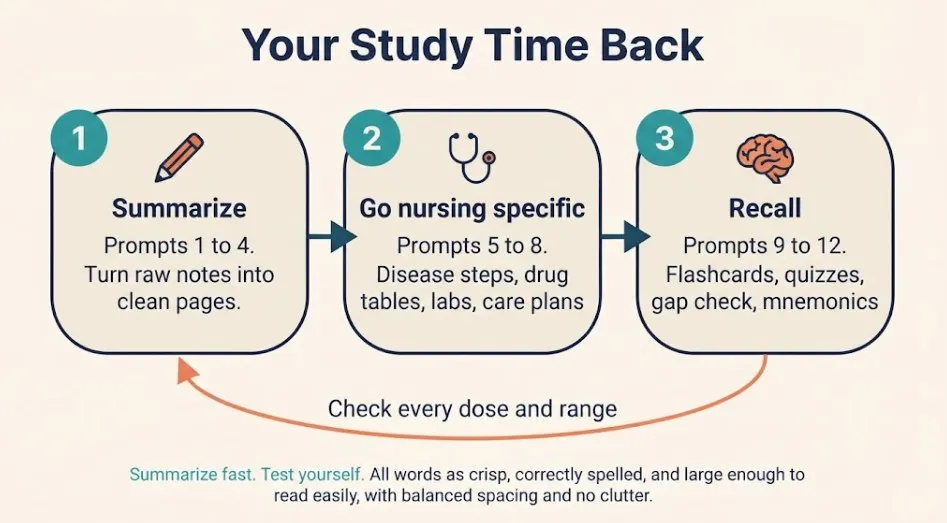
Rewriting notes by hand eats hours you don’t have. These 12 AI study chatbot prompts give you that time back. Summarize with Prompts 1 to 4, go nursing-specific with 5 to 8, and spend the saved time on 9 to 12, where the real learning happens.
The verdict: use AI to summarize fast, but never let it be your final source. Add “use only my notes” to every prompt, check every dose and range, and quiz yourself before you stop. Do that, and you will study less and remember more. Copy Prompt 1 now and try it on your next lecture.