
What is an AI chatbot? You have probably seen a chat box pop up on a website or heard friends say “just ask ChatGPT.” This guide explains it in plain words, shows 7 easy examples, and helps you try one today.
Quick answer
What is an AI chatbot? It is a computer program you talk to in normal language. It reads your message and writes a reply that sounds human.
Who this is for
Complete beginners. No tech background needed. No jargon.
Chatbots are not new. A program called ELIZA was chatting with people back in the 1960s. But it could only follow simple scripts. Today’s AI chatbots are far smarter. If you are new to this whole space, our AI tools for beginners guide is a good place to start.
What Is an AI Chatbot?
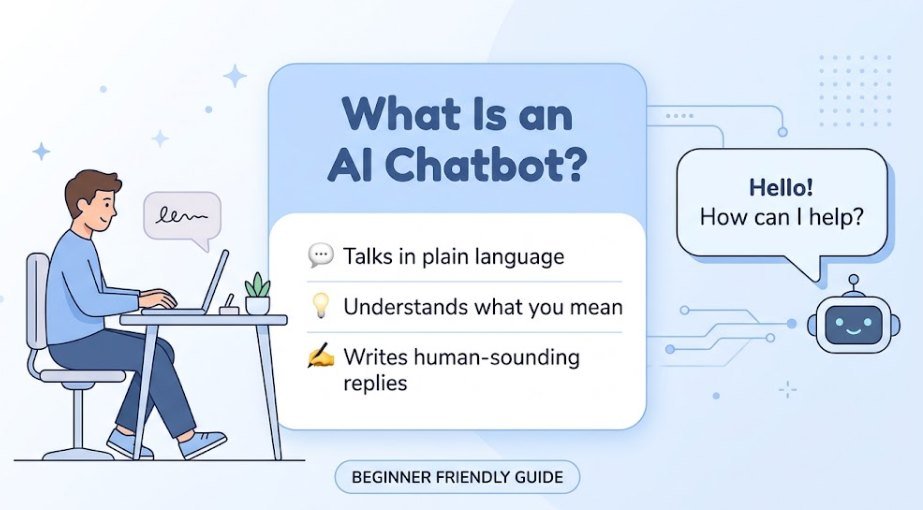
So, what is an AI chatbot in simple terms? It is software that talks with you in text or voice. You type a question. It answers. You can keep going, just like a text chat with a friend.
The “AI” part matters. Older chatbots only matched keywords and gave fixed replies. AI chatbots can work out what you mean, even if you phrase it in a messy way. They can also write, explain, summarize, and brainstorm. Most modern ones run on a large language model, which is a system trained on huge amounts of text.
Simple way to think about it: What is an AI chatbot? Picture a very well-read assistant who is always awake. It has read a lot. But it can still be wrong, so you stay in charge.
How Does an AI Chatbot Work? (Step by Step)
You do not need to be a coder to get the idea. Here is what happens each time you press “send.” For a deeper look, see our beginner’s guide to how AI tools work.
- You type a prompt. A prompt is just your question or request.
- The chatbot breaks it into small pieces. It splits your words into tiny chunks it can read.
- It works out what you mean. It looks at the words and the chat so far to find your goal.
- It predicts a reply, one piece at a time. Based on its training, it picks the most likely next word, again and again, until the answer is complete.
- You see the answer. You can reply, ask for changes, or start something new.
Notice step 4. The chatbot is predicting, not “knowing” like a person. That is why it sounds confident even when it is wrong. We come back to this in the limits section below.
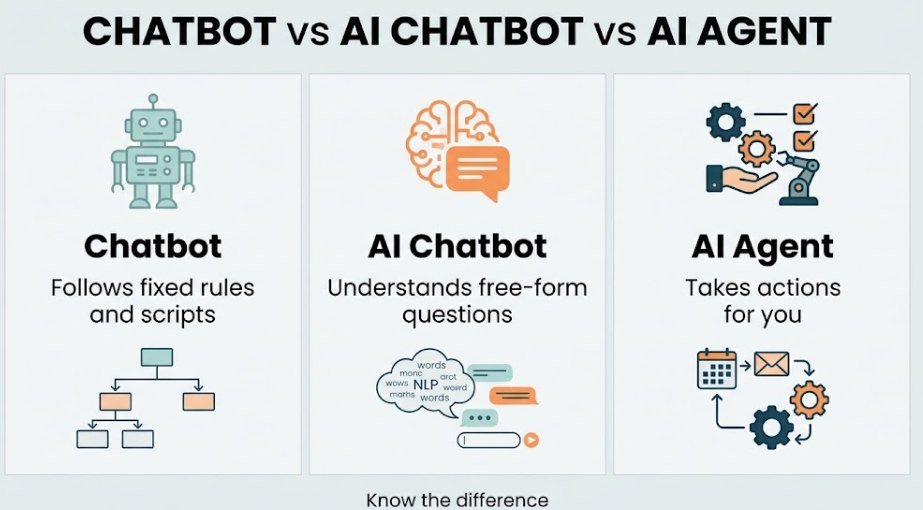
Chatbot vs. AI Chatbot vs. AI Agent: What’s the Difference?
These words get mixed up all the time. Here is the simple split. IBM also explains what AI agents are if you want more detail.
| Type | What it does | Example |
|---|---|---|
| Chatbot (basic) | Follows fixed rules and scripts. Cannot go off-script. | A bank bot with buttons like “Check balance” |
| AI chatbot | Reads free-form questions and writes new answers. | ChatGPT, Claude, Gemini |
| AI agent | Takes actions for you, like booking, searching, or filling forms, with less hand-holding. | A tool that books your trip after you give a goal |
Is Siri a chatbot or AI?
Both, in a way. Siri is a voice assistant. It uses AI to understand your speech. It is best at quick tasks like setting alarms or calling someone. Newer chatbots like ChatGPT are better at long, open-ended chats. The line between them keeps getting blurrier as voice assistants add more AI.
7 Easy Examples of AI Chatbots
Want to see what an AI chatbot looks like in real life? These seven are easy to find and easy to try. Most have a free plan, but limits and features change, so check each site.
1. ChatGPT
ChatGPT is the one most people know. It is good for writing, ideas, and everyday questions. Read our full ChatGPT review to see if it fits you.
2. Claude
Claude is made by Anthropic. People like it for long writing, reading documents, and calm, clear explanations.
3. Google Gemini
Gemini works with Google apps like Gmail and Docs. It is handy if you already live in the Google world.
4. Microsoft Copilot
Copilot is built into Windows, Edge, and Microsoft 365. It helps with emails, documents, and web questions.
5. Perplexity
Perplexity acts like a search engine with a chat. It shows its sources, which makes checking facts easier.
6. Meta AI
Meta AI lives inside apps like WhatsApp, Instagram, and Messenger. You can ask it questions without installing anything new.
7. Website customer-support bots
You have likely used this one without noticing. The little chat bubble on a shop or airline site is often an AI chatbot. It answers questions about orders, returns, and opening hours.
Types of AI Chatbots
Not all chatbots work the same way. Here are the four main types:
- Rule-based chatbots: Follow a fixed script. Good for simple FAQs. They get stuck on anything unexpected.
- AI (generative) chatbots: Write fresh answers in their own words. ChatGPT and Claude are in this group.
- Hybrid chatbots: Mix both. Buttons for simple steps, AI for open questions. Many company bots work this way.
- Voice chatbots: You speak and they speak back. Siri and Alexa are the best-known ones.
Curious about the bigger picture? See types of AI tools explained.
What Are AI Chatbots Used For?
People use them in two big ways: at home and at work.
Personal uses
- Learning: Ask for simple explanations of any topic.
- Writing help: Draft emails, messages, or CVs.
- Planning: Trips, meals, study plans, budgets.
- Ideas: Gift ideas, names, hobbies to try.
Business uses
- Customer support: Answer common questions 24/7.
- Sales help: Guide shoppers to the right product.
- Content: Draft posts, product text, and summaries.
- Team tasks: Summarize meetings and sort notes.
For more ideas on saving time, see AI tools for productivity and AI writing tool use cases.

Benefits and Limitations of AI Chatbots
Benefits
- Fast: Answers in seconds.
- Always available: No waiting for office hours.
- Patient: Ask the same thing five times. No judgment.
- Often free: Many have a free plan.
Limitations
- Can be wrong: It may state false things with confidence.
- No real feelings: It sounds caring but does not truly understand you.
- Dated knowledge: Some tools do not know recent news unless they search the web.
- Privacy risk: What you type may be stored.
Can I trust the answers?
Trust, but check. AI chatbots sometimes make things up. Experts call this a hallucination. The fake answer can look very real. For health, money, law, or school work, always confirm with a trusted source. And never share passwords, bank details, or private info in a chat.
Rule of thumb: Use a chatbot for a first draft or a first idea. Do not use it as the final word.
Want a fuller list of upsides and downsides? Read pros and cons of AI writing tools.
Free AI Chatbots to Try as a Beginner
You do not need to pay to get started. These tools offer free access at the time of writing. Free limits change often, so check each site.
| Chatbot | Best for | Good to know |
|---|---|---|
| ChatGPT | All-round everyday use | Free plan has usage limits |
| Claude | Writing and long text | Free plan has message limits |
| Gemini | Google app users | Works best with a Google account |
| Microsoft Copilot | Windows and Office users | Built into Edge and Windows |
| Perplexity | Questions with sources | Shows links so you can check facts |
Not sure which one to pick? Use our guide on how to choose the right AI tools. My tip: start with just one. Learn it well, then try others.

How to Start Using an AI Chatbot (First Prompts to Try)
- Pick one chatbot from the list above.
- Sign up or open it. Some let you chat right away.
- Type a clear request. Say what you want and who it is for.
- Follow up. Say “shorter,” “simpler,” or “give me an example.”
- Check the answer before you use it.
Here are five easy first prompts to copy:
| Goal | Try this prompt |
|---|---|
| Learn something | “Explain how the internet works like I’m 12.” |
| Write an email | “Write a polite email asking my landlord to fix the sink. Keep it short.” |
| Plan a week | “Make a simple 7-day dinner plan for one person on a small budget.” |
| Get ideas | “Give me 10 hobby ideas I can start at home for under $20.” |
| Summarize | “Summarize this text in 3 bullet points: [paste text].” |
Want better results? Read how to get the most out of AI tools. You can also browse our Learn Hub for more beginner lessons.
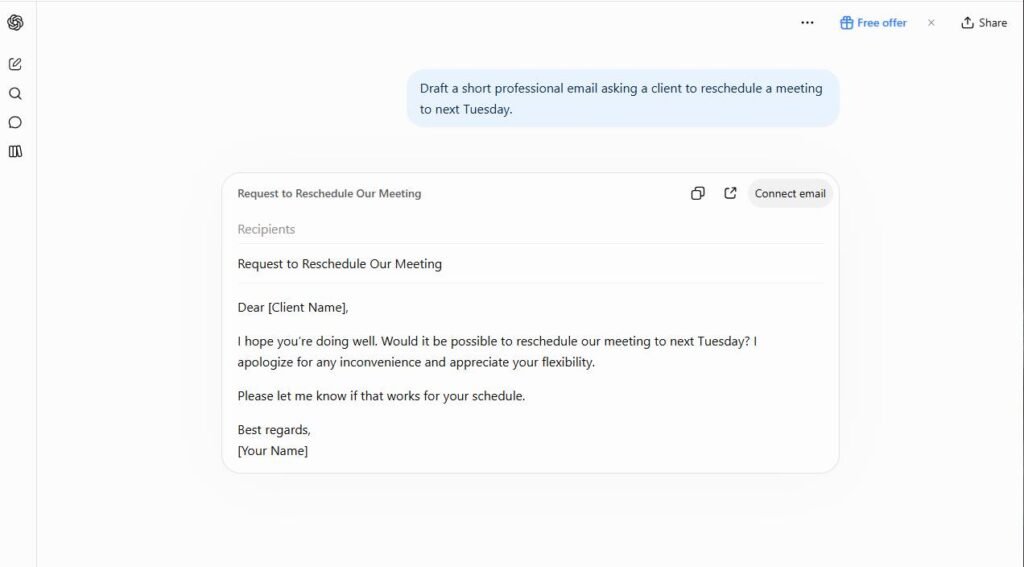
Can You Build Your Own AI Chatbot?
Yes, and it is easier than you might think. You do not have to code. Many no-code tools let you upload your FAQs or documents and get a working chatbot for your website. Here are the three levels:
- No-code builders: Drag, drop, and paste your content. Best for beginners and small sites.
- Custom bots inside chat apps: Some chatbots let you save instructions to make a personal helper.
- Coded from scratch: Uses programming and an AI service. Best for developers.
As a beginner, start with a no-code tool. Test it with real questions before you put it on your site. See our AI Tools Hub for more tools to explore.
Common Myths About AI Chatbots
| Myth | The truth |
|---|---|
| “AI chatbots always tell the truth.” | No. They can make mistakes. Always check important facts. |
| “They think and feel like people.” | No. They predict words. They do not have feelings. |
| “Only tech experts can use them.” | No. If you can send a text, you can use a chatbot. |
| “They will replace every job.” | Not exactly. They change how tasks get done. People still guide the work. |
| “Chatbots and AI chatbots are the same.” | No. Old chatbots follow scripts. AI chatbots can handle free-form language. |
| “Only big companies can use them.” | No. Small shops and solo creators use them too. |
Frequently Asked Questions
What is an AI chatbot in simple words?
It is a program you chat with in everyday language. It reads your message and writes a helpful reply, like a very fast digital assistant.
Is ChatGPT an AI chatbot?
Yes. ChatGPT is one of the best-known AI chatbots. Claude, Gemini, and Copilot are other popular ones.
Are AI chatbots free to use?
Many have a free plan with limits. Paid plans usually give you more messages and extra features. Check each site for current details.
Is it safe to use an AI chatbot?
It is generally fine for everyday questions. But do not share passwords, bank details, or private info. Also read the tool’s privacy settings.
What are the 7 types of AI?
Experts often group AI in two ways. By power, there are 3 types: narrow AI (does one job well, like a chatbot), general AI (could learn any task like a human), and super AI (smarter than humans). By how it works, there are 4 types: reactive machines, limited memory, theory of mind, and self-aware AI. Together that makes 7. Today, every AI chatbot is narrow AI with limited memory. The other types are still ideas. See types of AI tools explained for more.
Can an AI chatbot replace a human?
It can handle simple, repeated tasks well. But people are still needed for judgment, care, and complex problems. Think of it as a helper, not a replacement.
Which AI chatbot is best for beginners?
ChatGPT, Claude, and Gemini are all easy starts. Pick one, try it for a week, and see how it feels. Our guide to choosing the right AI tools can help.
Final Thoughts
So, what is an AI chatbot? It is a chat-based helper that reads your words and writes back. It can save you time, explain hard things, and spark ideas. It is not perfect, so always double-check what matters. The best way to learn is to try one. Pick a free chatbot, copy a prompt from this guide, and start chatting. When you are ready for more, explore the AI Tools category on ArtifyGo.