

The best AI writing tools for blogs depend on the job, because a blog has several: finding ideas, outlining, drafting, editing, and optimizing for search. This guide matches the right tool to each job, shows what is free and what is worth paying for, and helps you build a simple setup that fits the way you actually work.
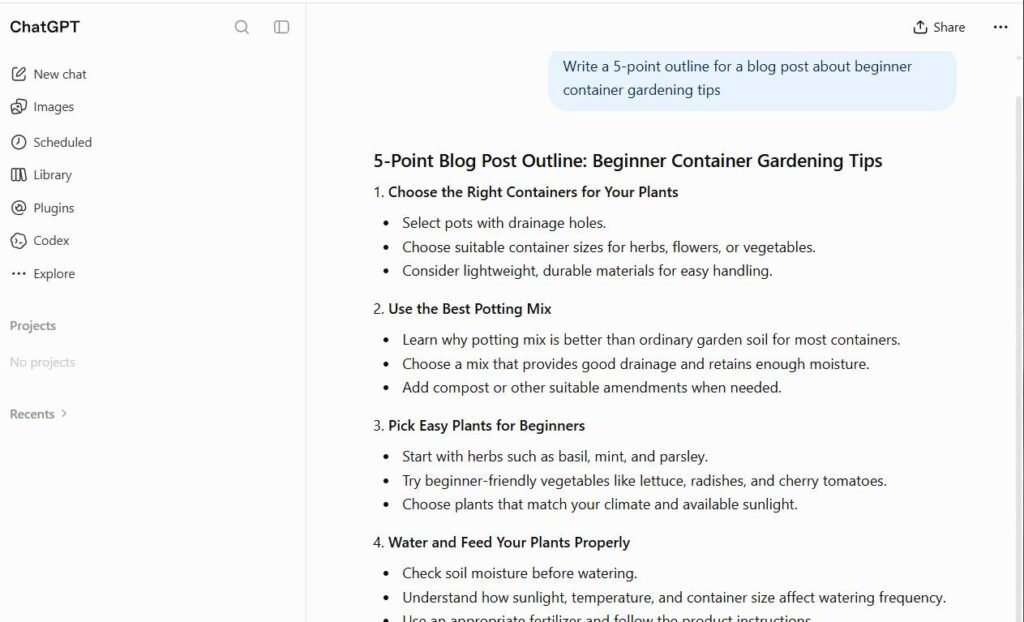
Most “best AI writer” lists rank tools by features, but bloggers rarely struggle with features. They struggle with workflow: too many tabs, drafts that sound generic, and subscriptions that overlap. If you are new to this whole space, start with our beginner guide to AI tools and our explanation of how AI tools work, then come back here to pick your setup.
Which AI Writing Tool Is Best for Bloggers? (Quick Answer)
Among the best AI writing tools for blogs, the smartest choice for most bloggers is one general chatbot plus one editing tool. A chatbot handles brainstorming, outlines, first drafts, and rewrites in one place. A grammar and clarity editor then cleans up the result. That combination covers most of what a blog needs, and you can start it for free.
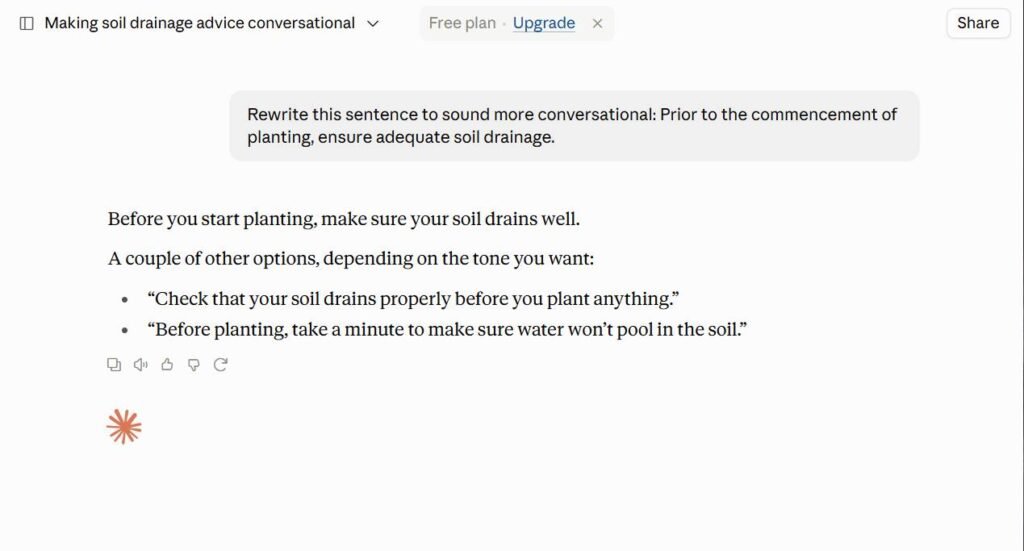
Which chatbot you choose matters less than how you use it. Claude is often praised for natural-sounding prose, ChatGPT for its range of features, and Gemini for its tie-in with Google apps. If search traffic is your main goal, an SEO tool such as Surfer or Frase becomes the third piece of the stack, and WordPress users can also look at All in One SEO, which puts an AI assistant inside the editor.
Quick rule: if you are not sure what to buy, do not pay for a dedicated writing tool at first. Start with a free chatbot plan, and upgrade only when you hit a limit that slows you down.
Best AI Writing Tools for Blogs at a Glance
The table below compares the best AI writing tools for blogs covered in this guide. Prices change often and different review sites list different numbers for the same plan, so treat the price column as a rough guide and confirm on each tool’s pricing page. Prices checked on: October 2026.
| Tool | Best for | Free plan | Typical paid price |
|---|---|---|---|
| ChatGPT | All-round drafting, brainstorming, and rewriting | Yes | About $20/month |
| Claude | Natural-sounding long-form drafts and editing | Yes | About $17-20/month |
| Gemini | Research and Google Docs/Gmail workflows | Yes | About $20/month |
| Jasper | Brand voice and marketing teams | Trial only | About $59-69/month |
| Writesonic | Fact-aware articles and AI search visibility | Trial | Roughly $39-79/month |
| Rytr | Simple, cheap short-form writing | Yes (limited) | About $7.50-9/month |
| Grammarly | Grammar, clarity, and tone editing | Yes | About $12/month |
| Surfer | On-page SEO scoring | Free extension only | About $49/month and up |
| Frase | SEO briefs and outlines on a budget | Trial | About $38-49/month |
| All in One SEO | WordPress users who want AI inside the editor | Yes (limited credits) | From about $50/year |
Notice how much of this list is free to try. You rarely need to commit before you know what fits. For a wider view of the category, see our overview of the main types of AI tools.
How I Tested These Tools
Every tool in this guide is judged the same way, so the comparison stays fair. Each one gets the same blog task and is scored on the same criteria, rather than being praised for whatever its marketing page highlights.
| Criterion | Why it matters for bloggers |
|---|---|
| Draft quality | A draft that already sounds natural saves the most editing time. |
| Voice control | You need to steer tone, or every post will sound the same. |
| Accuracy | Made-up facts and fake statistics hurt trust and rankings. |
| SEO support | Keyword and heading guidance helps posts get found. |
| Workflow fit | Fewer copy-and-paste steps means more posts published. |
| Real cost | Word limits and seat fees decide what a plan actually costs. |
The standard test is simple: give each tool one prompt, such as “Write a 1,200-word blog post for beginners on starting a pet-care blog. Use a friendly tone, include an outline, and suggest a meta description.” Then compare the results for structure, originality, factual errors, and how much editing is needed.
Disclosure: Some links in this guide may become affiliate links in the future. If that happens, it will be stated clearly, and it will not change which tools are recommended.
Best AI Writing Tool by Blogging Workflow Stage
Blogging is a pipeline, and different tools shine at different points. Use this table to match each stage to a tool, then ignore anything you do not need yet. Our guide to AI tools for productivity shows how the same idea works for other kinds of work.
| Stage | Best tool | Why it fits | Backup option |
|---|---|---|---|
| Idea generation | ChatGPT | Fast, flexible brainstorming in a back-and-forth chat | Gemini |
| Research | Perplexity | Answers come with sources you can check | Gemini |
| Outline | Frase | Builds outlines from what already ranks | Claude |
| First draft | Claude | Often reads more natural, so it needs less rewriting | ChatGPT |
| Rewriting sections | ChatGPT | Quick tone and length changes on request | Rytr |
| Grammar and clarity | Grammarly | Catches errors and flags unclear sentences | QuillBot |
| SEO optimization | Surfer | Scores your draft against top-ranking pages | All in One SEO |
| WordPress publishing | All in One SEO | AI assistant and SEO checks live in the editor | Manual copy-paste |
You do not need a different tool for all eight stages. Most bloggers do well with a general chatbot for ideas, research, outlines, drafts, and rewrites, plus an editor for grammar and clarity. Add the specialist tools only when a specific stage becomes your bottleneck.

ChatGPT vs Claude vs Gemini for Blog Writing
These three chatbots are the most common starting point, and “which is better?” is one of the most searched questions in this topic. The honest answer is that they trade wins depending on the task. Perplexity is included because many bloggers pair it with one of the others for research. Our ChatGPT review covers ChatGPT’s features and limits in more depth.

| Feature | ChatGPT | Claude | Gemini | Perplexity |
|---|---|---|---|---|
| Main strength | Wide feature set and flexibility | Natural prose and long documents | Google integration and web awareness | Sourced research answers |
| Main weakness | Can sound flowery or repeat stock phrases | Fewer extras than some rivals | Drafts can feel more generic | Not built for long drafts |
| Best for | Brainstorming and rewrites | First drafts and editing | Docs and Gmail workflows | Fact-finding before writing |
| Pricing | Free and paid | Free and paid | Free and paid | Free and paid |
Because all of them have free tiers, the best test is to run your own prompt through two of them and keep the one whose draft you would edit less. Features and models change quickly, so judge by your own results rather than by rankings.
When a general chatbot wins
- Flexibility: one tool handles ideas, outlines, drafts, and rewrites.
- Cost: strong free plans mean you can start for nothing.
- Control: you shape the output through your own instructions.
When you need a specialist
- SEO scoring: chatbots do not measure your draft against ranking pages.
- Brand voice at scale: teams may want saved style rules and templates.
Best Free AI Writing Tools for Bloggers
Some of the best AI writing tools for blogs cost nothing, so you can build a capable setup without paying anything. The free tiers of ChatGPT, Claude, and Gemini cover drafting, Grammarly covers basic editing, and Rytr offers a small monthly allowance for quick short-form text.
What free plans usually give you
- Enough usage to draft and edit a few posts a week
- Access to a capable, if not the newest, model
- A risk-free way to learn what you actually need
What you usually give up
- Daily or hourly message limits that can interrupt a session
- Advanced features such as deeper research or larger uploads
- Priority access when the service is busy
A practical tip: save your best prompts in a document so you can reuse them, and rotate between free tools if you hit a limit. Our guide on how to get the most out of AI tools has prompt habits that work on any free plan.
Best Paid AI Writing Tools for Blog Writing
Paid options among the best AI writing tools for blogs make sense when a specific problem costs you time or traffic. Here is who each one is really for.
Jasper: for brand voice and teams
Jasper is built around saved brand voice and marketing workflows. It suits agencies and teams that need consistency across many writers, but it is one of the pricier options and can be overkill for a solo blogger.
Writesonic: for fact-aware articles
Writesonic leans on live search data to reduce out-of-date claims, and it has moved toward tracking how brands appear in AI search results. Check which plan includes the article writer before you subscribe.
Surfer and Frase: for search-driven posts
Surfer scores your draft against pages that already rank, while Frase is strong at research briefs and outlines, usually at a lower price. Do not follow their suggestions blindly, since adding every recommended heading can make a post bloated.
All in One SEO: for WordPress convenience
All in One SEO adds an AI assistant and on-page SEO checks inside the WordPress editor, so you avoid copying text between apps. It only works on WordPress, and its AI features run on credits.
Best AI Writing Tool by Blogger Type
Beginner bloggers
Start with one free chatbot and Grammarly. Learn to write clear prompts before adding any paid tool. Our AI tools for beginners guide walks through easy first steps.
WordPress bloggers
A chatbot for drafting plus All in One SEO for in-editor optimization keeps your workflow short. If you already use another SEO plugin, check whether it has its own AI features before adding another.
Affiliate and niche-site bloggers
You publish often and compete in search, so an SEO tool like Frase or Surfer earns its cost. Add real experience, original photos, and honest product detail, because thin AI-only reviews rarely hold rankings.
Solo business owners
Your blog supports a business, so voice and accuracy matter more than volume. One strong chatbot, a grammar editor, and a saved style guide usually beat a heavy platform. Try Jasper only if you create a lot of branded content.
How to Make AI Writing Sound Human (Editing Checklist)
AI drafts often read smoothly but feel generic. Run every draft through this checklist before you publish.
- Add your own experience. Insert a real example, mistake, or opinion that only you could write.
- Cut stock phrases. Delete filler openers and closers such as “in today’s digital world” or “in conclusion.”
- Vary sentence length. Mix short, punchy lines with longer ones so the rhythm feels human.
- Verify every fact. Check numbers, names, and quotes against a reliable source and add links.
- Read it aloud. If you would never say a sentence, rewrite it in your own words.
The biggest gains come from steps one and four. Personal detail and verified facts are what AI cannot supply, and they are what readers remember.
Quick tip: give the AI a sample of your own writing and ask it to match that voice. You will usually get a better draft than with a generic instruction like “make it friendly.”
Does Google Penalize AI-Written Blog Posts?
Google has said it focuses on the quality of content rather than how it was produced. Its guidance on using generative AI content explains that using AI is not against its guidelines by itself, but producing large amounts of unoriginal content mainly to manipulate rankings is treated as spam.
In practice, the risk is not “AI” but thin, unchecked, copy-paste posts. Google’s advice on creating helpful, people-first content is a good standard to hold your drafts to: original information, clear expertise, and real value for the reader.
How Much Do AI Writing Tools Really Cost?
Sticker prices can mislead. Many plans cap words, articles, or credits, and a cheap tier may limit the better model. Add up the real monthly cost of your whole stack, not just one subscription. Here are three realistic budgets for the best AI writing tools for blogs:
- Free stack: a free chatbot plus free Grammarly. Cost: nothing.
- Light paid stack: one paid chatbot plan for higher limits and better models. Cost: roughly one streaming subscription a month.
- Growth stack: a paid chatbot plus an SEO tool such as Frase or Surfer. Cost: noticeably higher, so only worth it when traffic matters.
A good test is time: if a tool saves you several hours a month, it has likely paid for itself. If you cannot name the hours saved, cancel it.
How to Choose the Right Tool
Start with your biggest bottleneck, not with the most popular tool. If drafting is slow, pick a chatbot. If posts do not rank, look at SEO tools. If your writing feels sloppy, add an editor. For a deeper scoring method, use our framework for choosing the right AI tools.
Green flags
- A real free plan or trial without hidden steps
- Clear, public pricing and usage limits
- Easy export of your text and settings
- Drafts you can edit quickly into your own voice
Red flags
- Promises of “one-click” posts that need no editing
- Confusing credit systems you cannot predict
- A trial that requires payment details and is hard to cancel
- Claims of guaranteed rankings or “undetectable” AI text
Whatever you choose, verify the output. AI tools can state false facts with confidence, so check important claims against a primary source such as official documentation or Google’s own guidance before you publish.

How Often Should You Re-Check Your AI Tools?
AI tools change fast, with new models, new limits, and new prices appearing regularly. Revisit your setup every few months, and read our guide to getting the most out of AI tools when you want to sharpen how you use what you already pay for.
Monthly check: list every AI subscription you pay for and note the last time you used it. Cancel anything you did not open this month.
Frequently Asked Questions
Which AI is best for writing a blog?
There is no single winner. A general chatbot such as ChatGPT, Claude, or Gemini is the best starting point for most bloggers, with a grammar editor and an optional SEO tool added later.
Can I use ChatGPT to write a blog post?
Yes. It works well for ideas, outlines, and drafts, but you should edit for voice, check the facts, and add your own experience. See our ChatGPT review for its strengths and limits.
What is the best free AI writing tool for bloggers?
The free plans of ChatGPT, Claude, and Gemini are the strongest options. Pair one with free Grammarly for editing and you have a complete starter setup.
Is ChatGPT or Claude better for writing?
It depends on the task and your taste. Many writers find Claude’s prose more natural, while ChatGPT offers more features. Run the same prompt through both and keep the one you would edit less.
Will Google penalize my blog for using AI?
Google says it rewards helpful content however it is made, and targets spammy, mass-produced pages. Read its guidance on generative AI content for the details.
How can I tell if a blog post was written by AI?
Common signs are generic phrasing, repeated stock expressions, no personal examples, and confident but unsourced claims. AI detection tools are not fully reliable, so judge by quality rather than relying on a score.
Should I use one AI tool or several?
Start with one chatbot and add tools only when a clear need appears, such as editing or SEO. Too many overlapping subscriptions waste money and slow you down.
Final Thoughts
The best AI writing tools for blogs are the ones that remove your biggest bottleneck without adding clutter. Begin with a free chatbot and an editor, edit every draft so it sounds like you, and add paid tools only when they clearly save time or traffic. Pick one tool today, run your first post through it, and refine your setup from there. If you want to go deeper, start with our tool selection framework.