

AI writing tools can draft, rewrite, and polish text in seconds, but they are not all built the same way. This guide explains what they are, how they work under the hood, the main types of AI writing tools, ten popular examples, and how to use them safely.
Quick answer
The main types of AI writing tools are apps that use language models to generate, edit, or improve text based on your instructions. Most are a friendly interface wrapped around a large language model.
What you will learn
How these tools work, the main types of AI writing tools, ten examples (free and paid), how to choose one, how to prompt well, and the risks to watch for.
Writing used to mean a blank page and a lot of patience. Today, tools built on a large language model can suggest an outline, rewrite a clumsy paragraph, or draft an email in moments. The choice can feel overwhelming, though, because a chatbot, a grammar checker, and a fiction assistant are all “AI writing tools.” Understanding the different types of AI writing tools makes the choice much easier. If you are brand new to AI, start with our AI tools for beginners guide, then come back here to go deeper on writing.

What Are AI Writing Tools?
AI writing tools are software applications that use artificial intelligence to help you create or improve written content. You give the tool an instruction, a draft, or a topic, and it responds with text: a paragraph, a rewritten sentence, a list of ideas, or a full first draft.
Some tools generate text from scratch. Others only edit what you have already written, fixing grammar, changing tone, or shortening sentences. Many do both, which is why the types of AI writing tools often overlap. What they share is that they are assistants, not authors. They speed up the process, but you still decide what is true, what fits your audience, and what sounds like you.
Good to know: “AI writing tool” is a broad label. Throughout this guide, we separate the engine (the language model) from the product (the app you actually use), because that distinction explains most of the differences between the types of AI writing tools.
How Do AI Writing Tools Work?
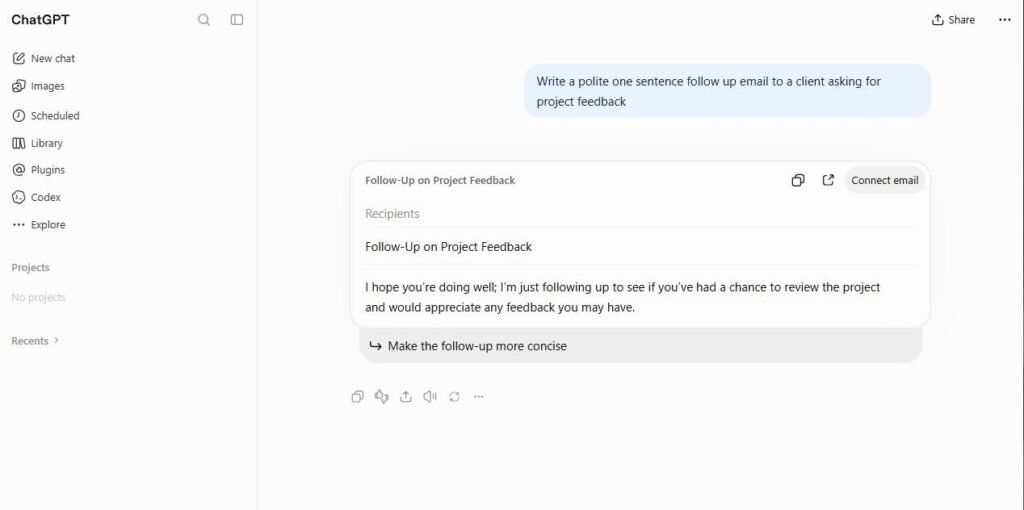
Most modern AI writing tools run on large language models (LLMs). An LLM is trained on enormous amounts of text so it can learn patterns in language: which words tend to follow others, how sentences are structured, and how different styles sound. The architecture behind most of them, the transformer, was introduced in the research paper Attention Is All You Need.
The key idea is surprisingly simple. The model predicts the most likely next piece of text (a “token,” which can be a word or part of a word), adds it to the sequence, and repeats. Do that thousands of times and you get a coherent paragraph. Here is the process in plain steps:
- Training. The model learns language patterns from a huge body of text.
- Tuning. Developers refine the model so it follows instructions, stays helpful, and avoids unsafe output.
- Your prompt. You type an instruction or paste a draft. The tool may add its own hidden instructions, such as a tone or format.
- Generation. The model predicts text one token at a time, based on your prompt and everything written so far.
- Your edits. You review, correct, and refine the result, often by asking follow-up questions.
Because the model predicts likely text rather than looking up verified facts, it can sound confident and still be wrong. That is why fact-checking matters, and we return to it in the limitations section. For a broader look at the technology, read our beginner guide on how AI tools work.
AI Model vs AI Writing Tool: What’s the Difference?
People often mix these up. Think of the model as the engine and the tool as the car. Two cars can share the same engine and still drive very differently because of their controls, features, and designs.
| Aspect | AI model | AI writing tool |
|---|---|---|
| What it is | The underlying system trained on text | The app or interface you use |
| Who you interact with | Usually developers, through an API | Everyday users, through a website, app, or plugin |
| Examples | GPT, Claude, Gemini model families | Chat apps, grammar checkers, SEO writers, fiction assistants |
| What it adds | Raw language ability | Templates, tone controls, editing buttons, integrations, collaboration |
| Why it matters | Shapes quality and reasoning | Shapes ease of use and workflow fit |
This is why many tools feel similar in quality but very different to use. When you compare the types of AI writing tools, you are often comparing the interface and features, not the model itself. A paid wrapper is only worth it if its extras genuinely save you time.
Types of AI Writing Tools Explained
Most AI writing tools fall into a handful of categories. Some blur the lines, but knowing the main types of AI writing tools helps you pick the right one. For a wider view beyond writing, see our guide to types of AI tools.
| Type | What it does | Example tools | Best for |
|---|---|---|---|
| General AI chatbots | Answers questions, drafts, brainstorms, and rewrites in a conversation | ChatGPT, Claude, Gemini | All-purpose writing and research help |
| Grammar and editing assistants | Fixes errors, improves clarity, adjusts tone | Grammarly, Lex | Polishing your own drafts |
| Paraphrasers and rewriters | Offers alternative phrasings, shortens or expands text | Wordtune | Making sentences clearer or more natural |
| Marketing copy generators | Produces ads, emails, and product descriptions from templates | Jasper, Copy.ai | Marketing teams and fast copy variations |
| SEO content tools | Builds outlines and drafts around keywords and search results | Koala, SEOwind | Bloggers and content marketers |
| Academic writing tools | Suggests scholarly language, citations, and submission checks | Paperpal, Jenni AI | Students and researchers |
| Creative and fiction tools | Helps with plot, characters, scenes, and descriptions | Sudowrite | Novelists and storytellers |
| Social media writers | Drafts and repurposes posts for different platforms | Buffer AI Assistant | Creators and small businesses |
A useful rule for the types of AI writing tools: generalist tools are flexible, specialist tools are focused. A chatbot can do a bit of everything, while a fiction tool understands story structure in ways a general chatbot may not.

What Can AI Writing Tools Do?
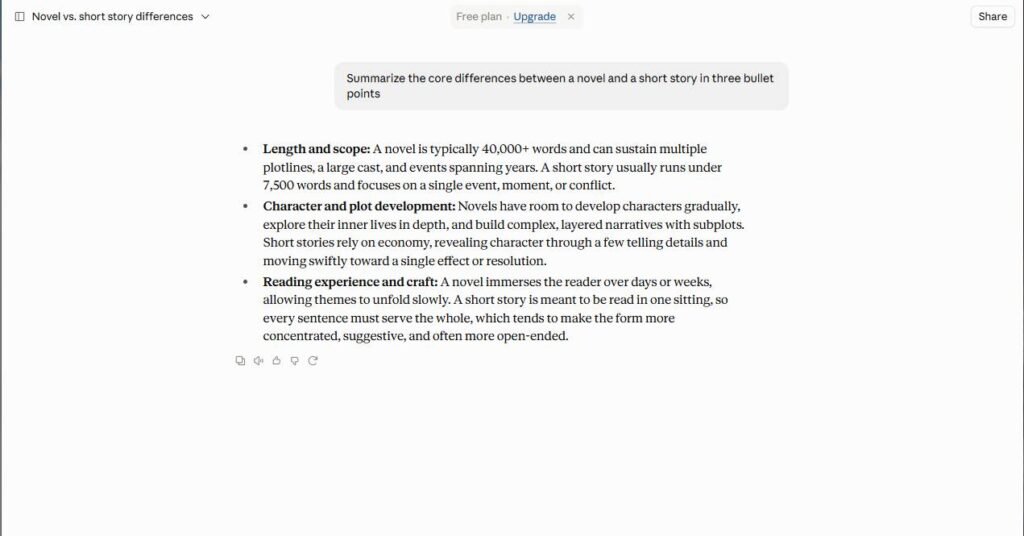
The value of these tools shows up in everyday tasks. Here is what they handle well in practice:
- Brainstorming: topic ideas, headlines, angles, and questions to answer.
- Outlining: turning a rough idea into a structured plan with headings.
- Drafting: emails, blog sections, product descriptions, and cover letters.
- Rewriting: changing tone, simplifying complex text, or making it shorter.
- Proofreading: catching grammar, spelling, and punctuation mistakes.
- Summarizing: condensing long articles, notes, or documents.
- Translating: converting text between languages for a first pass.
- Repurposing: turning one piece of content into posts, newsletters, or scripts.
These time savings add up, which is why writing is one of the most popular starting points for workplace AI. For more ideas beyond writing, browse our guide to AI tools for productivity.
Examples of AI Writing Tools by Use Case
Here are ten widely used examples across the main types of AI writing tools, grouped by what they do best. Plans and limits change often, so always check each tool’s current pricing page before you commit.
| Tool | Best for | Free or paid |
|---|---|---|
| ChatGPT | Fast, conversational drafting and brainstorming | Free tier and paid plans |
| Claude | Long-form writing, editing, and careful reasoning | Free tier and paid plans |
| Gemini | Writing inside the Google ecosystem | Free tier and paid plans |
| Grammarly | Grammar, clarity, and tone across apps | Free tier and paid plans |
| Wordtune | Rewriting and simple, beginner-friendly editing | Free tier and paid plans |
| Paperpal | Academic papers and submission checks | Free tier and paid plans |
| Sudowrite | Fiction, worldbuilding, and storytelling | Paid, with a trial |
| Jasper | Marketing teams and brand-voice content | Paid, with a trial |
| Koala | SEO-focused articles | Paid, with a trial |
| Lex | A clean writing space with AI feedback | Free tier and paid plans |

For students
Paperpal focuses on academic tone, citations, and manuscript checks, while a general chatbot can help you understand tough topics and plan an essay. Use them to learn and revise, and follow your school’s rules on AI use.

For business and marketing
Jasper and Copy.ai offer templates and brand-voice features for ads, emails, and landing pages. For everyday workplace writing, a general assistant is often enough. Our ChatGPT review covers one popular option in detail.
For fiction and creative writing
Sudowrite is built for storytellers, with tools for characters, plot, and descriptive passages. It works best as a brainstorming partner, so keep your own voice in charge.
For SEO content
Koala and SEOwind analyze search results to shape outlines and briefs. They can speed up research, but search rankings still depend on quality, originality, and real expertise.
For editing and polishing
Grammarly, Wordtune, and Lex are strongest when you already have a draft and want it cleaner, clearer, or better matched to your audience.
Free vs Paid AI Writing Tools: What You Actually Get
Many types of AI writing tools offer a free plan, and for light use it can be enough. The real difference is usually limits and access, not whether the tool works. If you are just getting started, our AI tools for beginners guide is a good place to test the waters.
What free plans usually give you
- Access to core features so you can judge quality
- Enough usage for occasional emails, edits, and brainstorming
- A risk-free way to compare several tools
What you usually give up
- Daily or monthly usage caps
- Access to the newest or most capable models
- Advanced features such as plagiarism checks, team tools, or brand-voice settings
Paid plans make sense when you write daily, hit limits often, or need collaboration and integrations. Before you pay, ask a simple question: can I get the same result from a free general chatbot with a little extra effort? If yes, the upgrade may not be worth it. Free tiers and limits change, so confirm details on the tool’s own pricing page.
How to Choose the Right AI Writing Tool
Start with the job you need done, not the tool with the loudest marketing. Because the types of AI writing tools differ so much, score your shortlist on these six criteria. For a deeper method, use our framework for choosing the right AI tools.
| Criterion | Why it matters |
|---|---|
| Main use case | A tool built for your task (editing, SEO, fiction) usually beats a generalist at that task |
| Output quality | Test with your real work, not demo prompts |
| Tone and voice control | Helps the writing sound like you or your brand |
| Ease of use | A tool you enjoy using is a tool you will actually use |
| Integrations | Working inside your existing apps saves copy-pasting |
| Price and privacy | Free limits, paid value, and how your text is handled all affect the real cost |
Run the same task, such as “rewrite this paragraph for a friendly newsletter,” through two or three tools. The differences become obvious very quickly.
How to Use AI Writing Tools Step by Step
Good results come from good instructions. This simple workflow works with almost any tool, and our guide on how to get the most out of AI tools goes further.
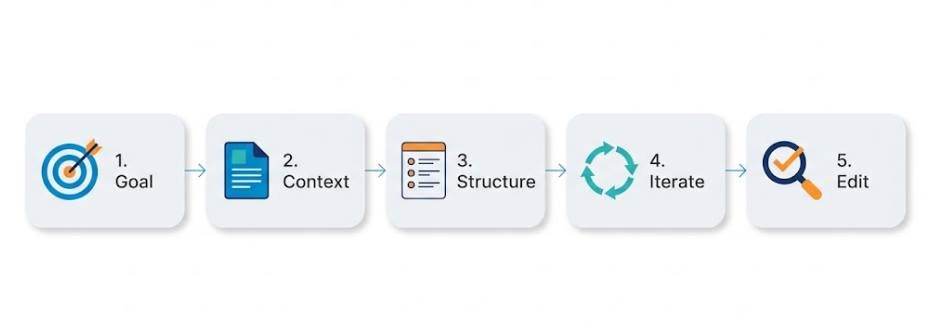
- State your goal. Say what you are writing, who it is for, and why.
- Give context. Include key facts, your audience, the length, and the tone you want.
- Ask for structure first. Request an outline, approve it, then ask for sections one at a time.
- Iterate. Use follow-ups like “make it shorter,” “use simpler words,” or “add an example.”
- Edit and fact-check. Verify claims, names, and numbers, then add your own voice and experience.
Prompt example: “Act as a friendly editor. Rewrite the paragraph below for busy small-business owners. Keep it under 80 words, use plain language, and keep a warm, confident tone. Do not add facts that are not in the original.” Then paste your paragraph.
Notice the pattern: audience, length, tone, and a clear rule about what not to do. Specific prompts almost always beat vague ones.
Limitations and Risks of AI Writing Tools
The different types of AI writing tools are useful, but they have real weaknesses. Knowing them keeps you from publishing something embarrassing or wrong.
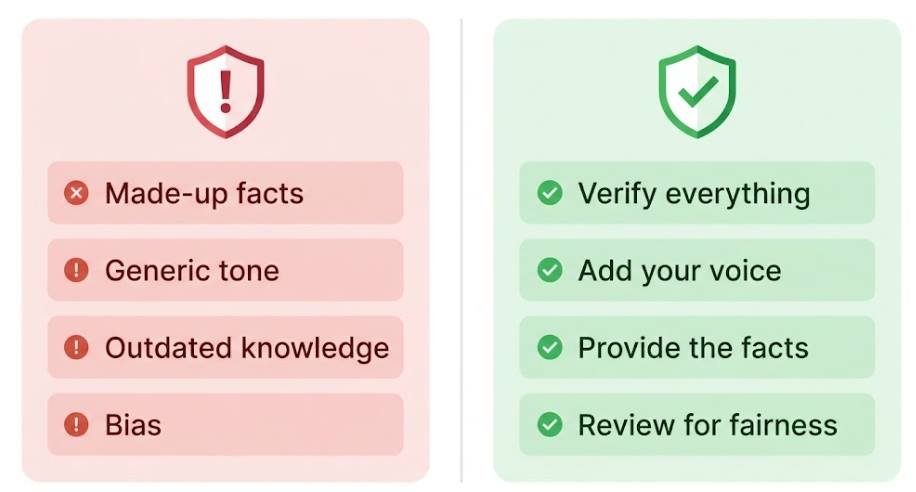
Common limitations
- Made-up facts: models can state false details, sources, or quotes with confidence.
- Generic tone: unedited output often sounds flat and similar to everyone else’s.
- Outdated knowledge: a model may not know recent events unless it can search the web.
- Bias: output can reflect biases found in training data.
How to reduce the risk
- Verify everything: check names, numbers, and claims against reliable sources.
- Add your voice: include personal examples, opinions, and real experience.
- Provide the facts: paste in your own source material instead of relying on memory.
- Review for fairness: read the draft critically before it goes public.
Ethics, AI Detectors, Copyright, and Privacy
Using AI responsibly is as important as using it well. Four topics come up frequently.
Honesty and academic integrity
Schools, employers, and publishers have different rules about AI help. Read them first. Using AI to brainstorm or proofread is often fine, while submitting AI-written work as your own may not be. When in doubt, be transparent.
AI detectors
AI detectors estimate whether text looks machine-written, but they are not definitive. They can flag human writing as AI and miss AI writing entirely, so no detector result should be treated as proof. Heavily edited text, in your own voice and with your own ideas, is simply better writing.
Copyright and publishing
Copyright rules for AI-assisted work are still developing and vary by country. In the United States, the U.S. Copyright Office has published comprehensive guidance and reports indicating that protection depends on human authorship, so material generated purely by AI may not qualify while your own creative contributions can. Platforms and publishers may also set their own AI disclosure rules. If you plan to publish or sell AI-assisted work, check the current rules where you live and on the platform you use. This is general information, not legal advice.
Privacy
Whatever you paste into a tool is processed by a company’s servers. Avoid sharing passwords, confidential client details, medical or financial information, or unpublished work you cannot risk exposing. Review each tool’s privacy policy and settings, including whether your content may be used to improve its models.
Simple rule: if you would not post it publicly or email it to a stranger, think twice before pasting it into an AI tool.
Frequently Asked Questions
What are the main types of AI writing tools?
The most common types of AI writing tools are general AI chatbots, grammar and editing assistants, paraphrasers, marketing copy generators, SEO content tools, academic writing tools, creative and fiction tools, and social media writers.
Is ChatGPT an AI writing tool?
Yes. It is a general-purpose chatbot that handles emails, blog drafts, summaries, and more. Specialist tools may suit specific jobs better. Read our full ChatGPT review for details.
Which AI writing tool is free?
Several tools, including ChatGPT, Claude, Gemini, Grammarly, Wordtune, Paperpal, and Lex, offer free plans with limits. Free tiers change, so check each tool’s pricing page.
Can AI writing tools replace human writers?
Not entirely. They are strong at drafting and polishing, but they lack lived experience, judgment, and accountability for accuracy. The best results come from a human guiding and editing the output.
Is it safe to use AI writing tools?
Generally yes, if you protect sensitive information, check the privacy settings, and verify what the tool produces. Never paste confidential data you cannot afford to share.
Can AI detectors tell if I used AI?
Not reliably. Detectors can be wrong in both directions, so results are not proof. If AI use matters for your school or job, follow the stated rules and be open about how you used it.
How do I make AI writing sound like me?
Give the tool samples of your writing, describe your tone, set clear rules, and edit the result. Adding personal stories and opinions makes the biggest difference.
Final Thoughts
AI writing tools are powerful helpers, but they work best when you understand them. They predict text rather than verify facts, the types of AI writing tools are built for different jobs, and the right pick depends on your task, not on hype. Start with one tool, test it on real work, write clear prompts, and always edit and fact-check before you publish. Use them to save time on the heavy lifting, and keep the thinking, the voice, and the final decisions yours.