
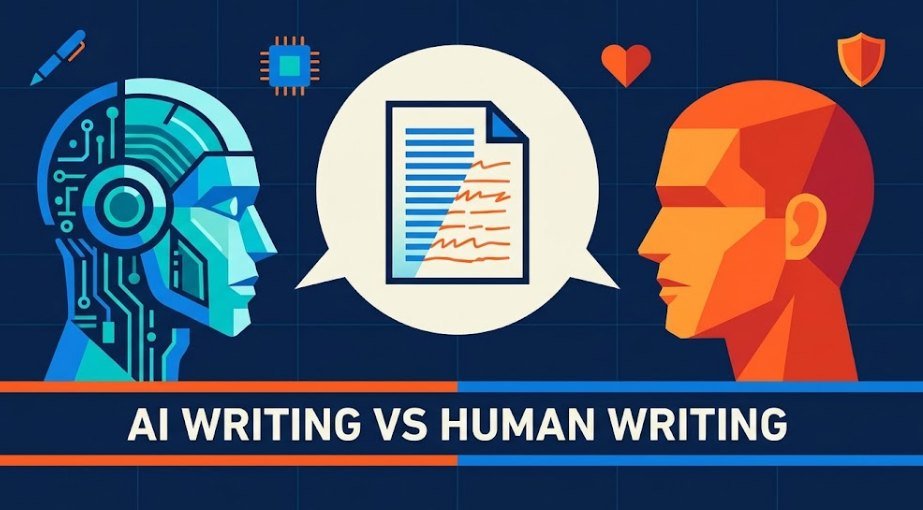
AI writing vs human writing: which should you use for your blog? Here are five side-by-side examples, so you can see the real difference. Then you can pick the way that fits your goals.
Who this is for
Bloggers who are not sure if AI or human writing is the right fit.
What you will get
5 examples, a clear Google answer, and a simple task checklist.
You open a blank page. You have two choices. Type every word yourself, or let AI write the first draft. Both can work. Neither is perfect.
The best choice depends on your goal, your time, and your readers. This guide on AI writing vs human writing shows you how each one looks in real blog tasks. If you want to know the tool types first, read our guide to types of AI writing tools.
Quick note: The samples in this post were written to show common patterns. They do not come from one tool or one person.
How Does AI Writing Compare to Human Writing?
Short answer on AI writing vs human writing: AI writing is fast, clean, and steady. Human writing is more personal, more specific, and more original. AI is best for drafts and structure. Humans are best for stories, opinions, and trust. Most bloggers do best with both.
There is research behind this. In a 2024 study, experts judged short stories written by AI and by professional writers. The AI stories were 3 to 10 times less likely to pass creativity tests than the human ones.
That does not make AI useless. It means AI writing vs human writing each win at different jobs. The five comparisons below show where.
Characteristics of AI Writing vs Human Writing
AI tools guess the next likely word, over and over. That is why the text feels smooth but safe. If you want the basics, see how AI tools work. Here is how AI writing vs human writing compare.
| Feature | AI writing | Human writing |
|---|---|---|
| Speed | Draft in seconds | Minutes to hours |
| Tone | Neutral and polite | Has a personality |
| Sentence rhythm | Often the same length | Mix of long and short |
| Examples | General and safe | Specific and personal |
| Opinions | Stays in the middle | Picks a side |
| Facts | Can be wrong, but sounds sure | Can be wrong, but usually knows what is shaky |
| Emotion | Correct words, little feeling | Real memories and feelings |
| Cost | Free to about $20 a month | Your time, or a writer’s fee |
Now let us see AI writing vs human writing in real blog tasks.
Comparison 1: Blog Introduction (AI vs Human Example)
The intro is where most readers decide to stay or leave. Here is the same topic, written two ways.
AI version
“In today’s fast-paced digital world, starting a blog can feel overwhelming. This comprehensive guide will explore the key steps you need to succeed.”
Human version
“My first blog post took six hours. It had 214 words. I deleted half of them twice. If that sounds like you, keep reading.”
What to notice:
- Opening line: The AI version starts with a stock phrase. Readers have seen it a thousand times.
- Detail: The human version gives real numbers and a small failure.
- Promise: The AI version promises a “guide”. The human version talks to the reader.
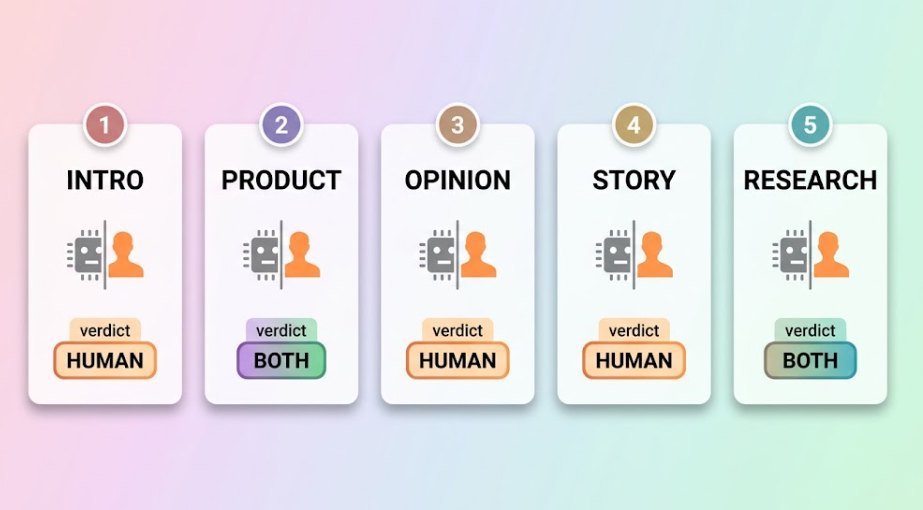
Verdict: Human wins for intros. Let AI give you five options, then rewrite the best one in your own words.

Comparison 2: Product Description (AI vs Human Example)
Say you review a bamboo laptop stand. Here are two ways to describe it.
AI version
“Elevate your workspace with our premium bamboo laptop stand. Crafted for comfort and style, it offers an ergonomic design that boosts productivity and suits any desk.”
Human version
“Your neck hurts because your laptop sits too low. This stand lifts the screen to eye level. It folds flat, fits in a backpack, and does not wobble when you type hard.”
What to notice:
- Big words, no proof: “Premium”, “elevate”, and “boosts productivity” prove nothing.
- Problem first: The human version starts with a pain the reader knows.
- Real use: Folding, backpack, wobble. Only someone who used it would say this.
Verdict: Both. AI is fine for a first draft, especially if you have many products. Add your own test notes before you publish.
Comparison 3: Opinion Post (AI vs Human Example)
Now an opinion on the question: “Should bloggers use AI?”
AI version
“There are many views on whether bloggers should use AI. On one hand, it saves time. On the other hand, it may reduce originality. Ultimately, it depends on your needs.”
Human version
“Yes, use AI. But never publish its first draft. I tried it once. The post read fine and said nothing. No comments. No shares.”
What to notice:
- Stance: The AI version never picks a side. The human version does.
- Proof: The human version backs the opinion with a real result.
- Memorable: Short sentences hit harder than balanced ones.
Verdict: Human wins. An opinion needs a person behind it. Readers follow bloggers who take a stand.
Comparison 4: Personal Story (AI vs Human Example)
Stories build trust. Here is a story about launching a blog.
AI version
“I remember the day I launched my blog. I felt a mix of nervousness and excitement. It was a journey full of challenges, but I learned valuable lessons along the way.”
Human version
“I hit publish at 2 a.m. and hid under a blanket. My mom was the first reader. Her only comment: ‘Nice, where’s the recipe?’ It was a post about SEO.”
What to notice:
- Feelings: The AI version names feelings. The human version shows them.
- Odd details: A blanket, a mom, a recipe joke. AI rarely invents details this strange.
- Lesson: “Valuable lessons” says nothing. The human version lets you laugh.
Verdict: Human wins, no contest. AI has no real memories. If you ask it to write “your” story, it makes things up. Never publish made-up stories as true.
Comparison 5: Research-Based Section (AI vs Human Example)
Last test: a section that needs facts. The topic is how reliable AI detectors are.
AI version
“Research shows that AI detectors can be unreliable and may sometimes produce incorrect results, especially for certain types of writers.”
Human version
“Stanford researchers tested seven AI detectors. On average, they flagged 61.22% of essays by non-native English writers as AI. Essays by US students were judged correctly.”
What to notice:
- Vague vs exact: “Research shows” tells you nothing. A named study and a number tell you a lot.
- Source link: The human version lets readers check the claim.
- Risk: AI can make up studies that look real. Always open the link yourself.
Verdict: Both. AI can help you find leads fast. You must check every fact and source yourself.
Quick scorecard of the 5 comparisons
| Comparison | Better for blogs | Why |
|---|---|---|
| 1. Blog introduction | Human | Hooks the reader with real detail |
| 2. Product description | Both | AI drafts, you add real use |
| 3. Opinion post | Human | Needs a real stance |
| 4. Personal story | Human | Needs real memories |
| 5. Research section | Both | AI finds leads, you check facts |
How to Tell the Difference Between AI and Human Writing
No single sign can tell AI writing vs human writing apart. Look for a group of signs together. Here are the main types of clues.
- Word clues: Stock phrases like “in today’s fast-paced world.” Too many “moreover” and “furthermore.”
- Sentence clues: Most sentences are about the same length. Every paragraph has the same shape.
- Content clues: No names, dates, or numbers. No real opinion. Sure-sounding facts you cannot find anywhere.
- Ending clues: A “conclusion” that repeats the intro and adds nothing new.
Try this: Read the post out loud. If it sounds like nobody you know, it probably needs a human edit. Also remember that careful human writers can write this way too. Judge the whole post, not one sign.
Do AI Detectors Actually Work?
Sometimes, but not well enough to trust alone. Most detectors guess how predictable your words are and how much your sentences vary. They do not check if the facts are true or the ideas are good.
The big problem is false alarms. In that same Stanford study, detectors wrongly flagged more than half of essays by non-native English writers. The detectors punished simple word choices. The study also showed that adding richer words cut the false alarms a lot. The same trick can help AI text slip past detectors.
What detectors can do
- Spot very plain, unedited AI text
- Give a rough hint worth a second look
- Show which parts feel too uniform
What they cannot do
- Prove who wrote a text
- Treat all writers fairly
- Catch edited AI text reliably
- Tell you if a post is useful
Treat a detector score as a hint, never as proof. For your own blog, a better test is simple. Does the post have your voice, real examples, and facts you checked?
Does Google Penalize AI-Written Blog Posts?
No. Google does not ban a post just because AI helped write it. Google says AI can be useful for research and to add structure to original content. What Google cares about is quality and whether the page helps people.
The danger is volume without value. Google warns that making many pages with AI without adding value for users may break its spam policy on scaled content abuse.
There is also a fresh update. On October 1, 2026, Google updated its guide. It now says it is critical to manually fact-check and review all AI content before publishing. That includes titles, meta descriptions, and image alt text.
Keeps you safe
- Checking every fact and source
- Adding your own tests and stories
- Writing for a clear reader
- Editing every draft by hand
Puts you at risk
- Publishing raw AI drafts
- Mass-producing thin pages
- Fake names, fake experts, fake stories
- Posts that repeat what is already online
Google also suggests sharing how you made your content, so readers get context. A short note about how you use AI is a good habit.
Speed, Cost, and Quality: AI vs Human for Bloggers
For a solo blogger, time and money matter. Here is how AI writing vs human writing compare. For a deeper look, see our list of the pros and cons of AI writing tools.
| Factor | AI | Human | Best pick |
|---|---|---|---|
| Speed | Minutes for a draft | Hours for a draft | AI for first drafts |
| Cost | Free to about $20 a month | Your time, or a writer’s fee | AI if budget is tight |
| Grammar and flow | Very clean | Depends on skill | AI |
| Originality | Low to medium | High | Human |
| Accuracy | Must be checked | Depends on research | You check both |
| Your voice | Generic unless you guide it | Yours | Human |
The cheap part is the draft. The costly part is the edit. Plan time for fact-checking and adding your voice. Prices change often, so check each tool’s page. Also read our disclaimer about information on this site.
Which AI Is Better for Writing? ChatGPT vs Claude vs Gemini
There is no single winner. Each tool fits a different style of work. The best way to choose is to test all three with the same prompt. The table below shows what bloggers often say about each. Your results may differ.
| Feature | ChatGPT | Claude | Gemini |
|---|---|---|---|
| Free plan | Yes, with limits | Yes, with daily limits | Yes, with limits |
| Main paid plan | Plus, $20 a month | Pro, $20 a month | Google AI Pro, $19.99 a month |
| Often liked for | Many features in one place | Natural tone and long text | Works with Gmail and Docs |
| Watch out for | Can sound salesy or generic | Free limits can run out fast | Tone can feel flat |
| Good for bloggers who | Want one all-round tool | Edit long drafts a lot | Live inside Google apps |
Prices are from an October 2026 comparison. Always confirm on the official pages: ChatGPT, Claude, and Gemini. Want more detail on one tool? Read our ChatGPT review. Want more options? See the best AI writing tools for blogs.


A 10-minute test to pick your tool
- Pick one real task. For example, “Write an intro for my post on starting a blog.”
- Use the same prompt. Paste it into all three free plans.
- Edit each result. Count how long each one takes to fix.
- Choose the one you edit least. That tool fits your voice best.
When to Use AI, Human, or Both: A Blog Task Checklist
Use this table to settle AI writing vs human writing before each task. It shows which approach fits each part of blogging. For more ideas, see our AI writing tools use cases.
| Blog task | Best approach | Why |
|---|---|---|
| Finding topic ideas | AI | Fast and cheap to brainstorm |
| Making an outline | Both | AI offers options, you choose |
| First draft of how-to steps | AI | Clear and structured |
| Intro and conclusion | Human | Needs your hook and voice |
| Personal stories | Human | Only you lived it |
| Opinions and reviews | Human | Readers want a real view |
| Facts, stats, and quotes | Human | Must be checked at the source |
| Titles and meta text | Both | AI gives options, you check them |
| Final edit | Human | You are responsible for the post |
The 3-question test
- Does it need my real experience? If yes, write it yourself.
- Does it need exact facts? If yes, use AI for leads only, then check the sources.
- Is it plain, repeatable work? If yes, let AI draft it and you polish it.
Not sure where to start? Use our simple guide to choosing AI tools, then run the 3-question test on your next post.
How to Make AI Writing Sound Human (Free Editing Checklist)
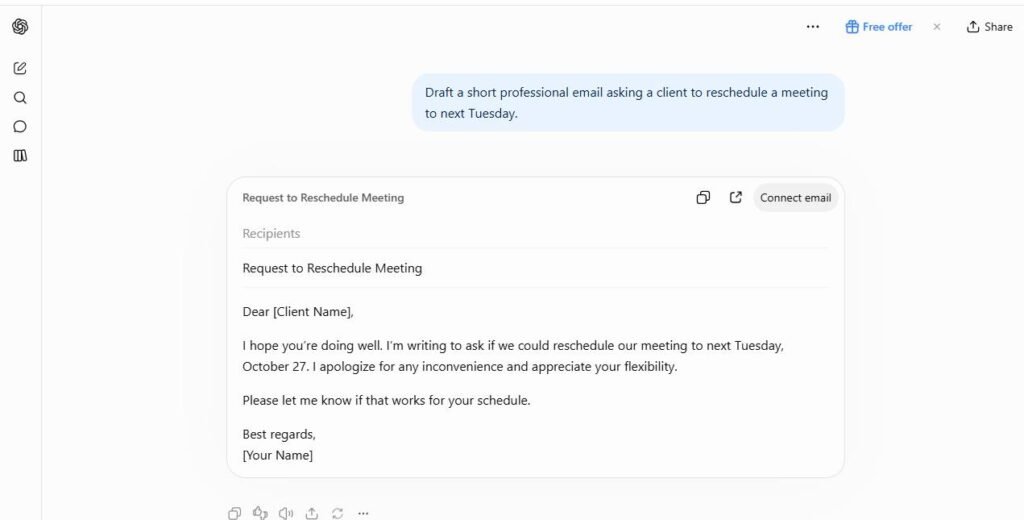
You do not need a paid tool for this. Use this free checklist on every AI draft. Better prompts also help, and our guide on how to get the most out of AI tools shows how.
- Cut the stock opener. Delete phrases like “in today’s fast-paced world.”
- Add one real story. Use a moment from your own work.
- Swap vague words for exact ones. Change “many people” to a number and a source.
- Mix sentence lengths. Add a short one. Then a longer one that explains.
- Take a side. Replace “it depends” with your real view, then explain why.
- Trim the filler. Remove extra “moreover” and “furthermore.”
- Check every fact. Open each link. Remove anything you cannot confirm.
- Read it out loud. Fix any line you would never say.
Prompt you can copy: “Write a 150-word intro about [topic] for beginner bloggers. Use short sentences. Start with a problem, not a greeting. Do not use the phrases ‘in today’s world’ or ‘comprehensive guide’.”
FAQ: AI Writing vs Human Writing
Is AI writing as good as human writing?
In the AI writing vs human writing debate, AI is often as good for clean grammar and clear structure. For stories, opinions, and fresh ideas, no. Human writers still win there. That is why most bloggers use AI for drafts and finish the post themselves.
Can Google tell if my blog post was written by AI?
Google does not say it ranks posts by who wrote them. It looks at quality and helpfulness. Thin, unchecked pages are the real risk. Read Google’s own guidance for the details.
Can AI writing be detected?
Sometimes. But detectors make mistakes both ways. They can flag human writing and miss edited AI text. Use them as a hint, never as proof.
What are examples of AI writing?
Blog drafts, product descriptions, email replies, outlines, and social posts. The five comparisons above show sample versions of each pattern.
Which AI is best for writing blog posts?
It depends on your style. ChatGPT, Claude, and Gemini all have free plans. Try the same prompt in each and keep the one you edit least. See our best AI writing tools for blogs for more options.
Should I tell readers I used AI?
It is a good idea to be open. Google suggests sharing how content was made so readers get context. A short line like “I used AI for the outline and wrote the rest myself” builds trust.
Will AI replace human bloggers?
AI can copy structure, but it cannot live your life. Readers come back for real experience and real opinions. Bloggers who add that will still stand out.
Final Thoughts
AI writing vs human writing is not a fight. AI is the fast helper. You are the voice, the proof, and the judge. Use AI for ideas and drafts. Write the stories and opinions yourself. Check every fact before you hit publish.
Your next step: pick one task from the checklist and try it this week. Want more help? Browse our AI Tools Hub or explore more guides in AI Writing.