
ChatGPT vs Claude vs Gemini comes down to seven real differences. We checked them against official pricing pages and published tests, so you can pick one plan for your work and skip the rest. Paying for the wrong AI chatbot wastes money and time.
You have three big names and a pile of paid plans. Pick wrong, and you end up with a $20 tool that can’t touch your Excel file or write an email you’d actually send.
This guide covers ChatGPT vs Claude vs Gemini for office work. It skips benchmark scores. It looks at what you notice on a busy Tuesday: price, writing, meeting notes, your work apps, files, accuracy, and privacy. New to all this? Read our short explainer on what an AI chatbot is first, then come back. If you want the reasons office teams use these tools at all, see why use an AI assistant at work.
Quick answer for ChatGPT vs Claude vs Gemini: Pick Claude for polished writing and Microsoft 365. Pick Gemini if you live in Gmail and Google Docs. Pick ChatGPT if you want one all-rounder with images and voice. Test on a free plan first wherever you can, then pay for one.
How we checked this (last updated November 10, 2026): Prices are US monthly prices. We pulled them from Anthropic’s pricing page, Gradually AI’s breakdown of OpenAI’s plans, and No Code MBA’s Gemini guide, which cites Google’s plan pages. We also read five independent comparisons and tests, and we name each one where we use it. Where we give a pick, it is our reading of that evidence, not a lab benchmark. Plans change often, so confirm the price at checkout. See our disclaimer.
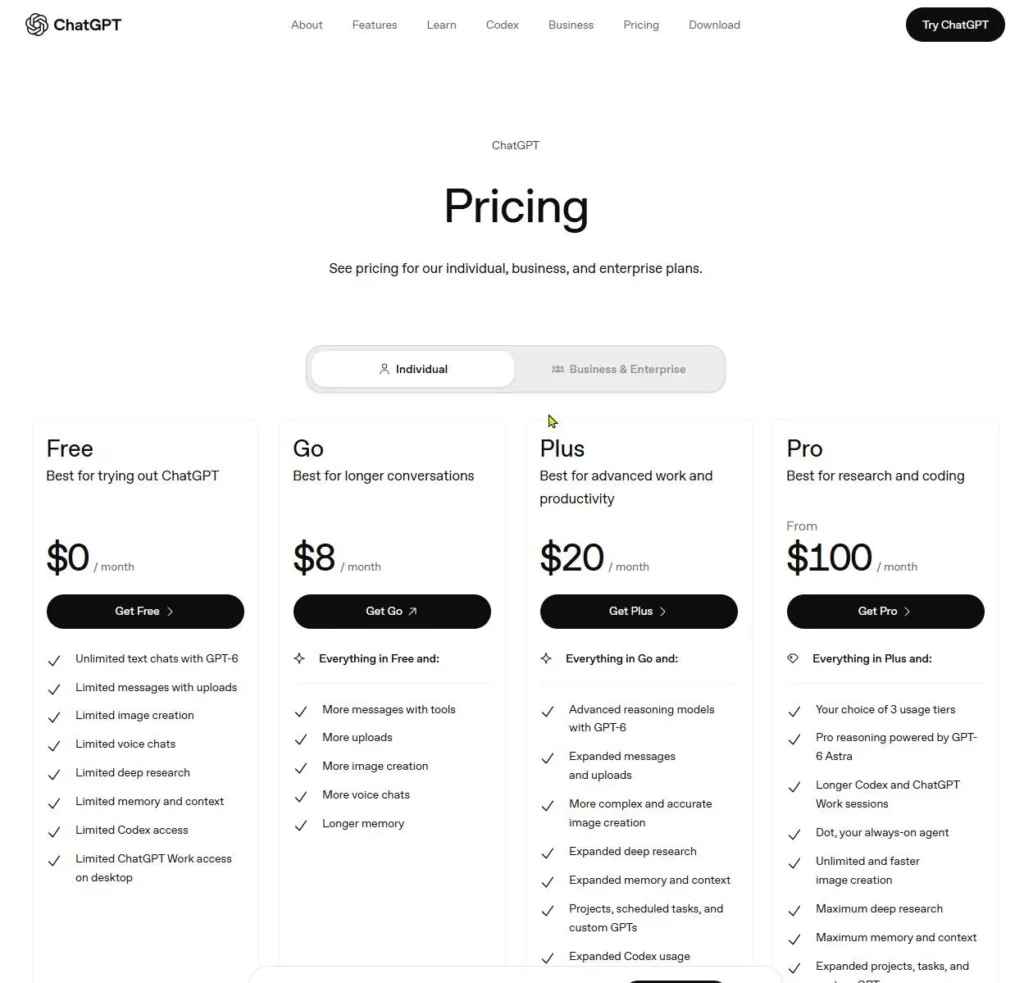
Difference 1: ChatGPT vs Claude vs Gemini Monthly Pricing and Free Plan Limits
All three land near $20 a month for the standard plan. The gaps show up below and above that price.
| Plan level | ChatGPT | Claude | Gemini |
|---|---|---|---|
| Free | $0 (may show ads) | $0 | $0 |
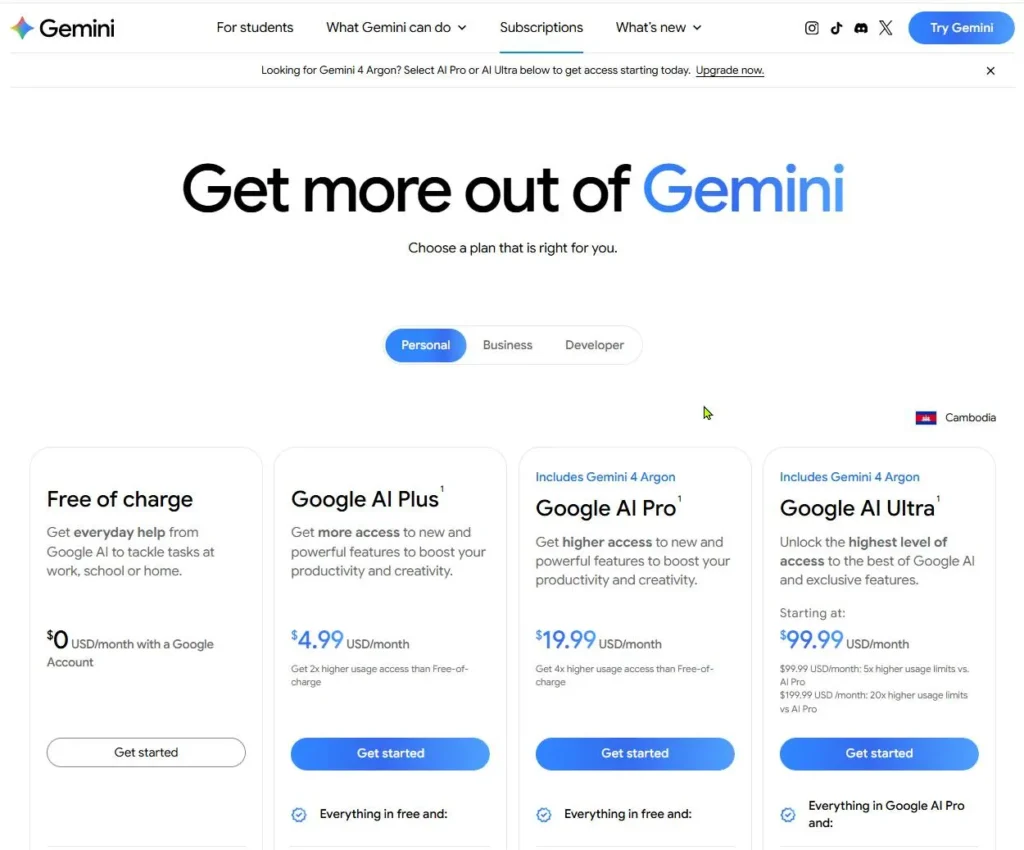
| Entry paid | Go: $8 (may show ads) | None | Google AI Plus: $4.99 |
| Standard paid | Plus: $20 | Pro: $20 monthly, or $17 a month billed yearly ($200) | Google AI Pro: $19.99 |
| Heavy use | Pro: $100, $200, or $500 | Max: $100 or $200 | Google AI Ultra: $99.99 or $199.99 |
| Small team | Business: $20 a seat yearly, $25 monthly (2 seats minimum) | Team Standard: $20 a seat yearly, $25 monthly | Through a Google Workspace plan (price varies) |
Sources: Claude’s pricing page, Gradually AI on ChatGPT plans, and No Code MBA on Gemini plans. You can also check the official pages for ChatGPT and Gemini.
Now the part that matters before you pay: what the free plans really give you.
- ChatGPT Free: Unlimited everyday text chats, but limited uploads, images, and Deep Research. It may show ads below answers. Go adds more volume but can also show ads. Plus and higher stay ad-free, per Gradually AI.
- Claude Free: Chat, web search, file creation, code runs, memory, Artifacts, and up to five Projects. The catch is a usage cap that resets every five hours and every week. Claude’s Microsoft 365 add-ins are not on Free. Source: Anthropic.
- Gemini Free: Since October 9, people without a Google AI plan are limited to the lightest Flash-Lite model. AI Plus adds the Flash model but not Pro. You need AI Pro for the Pro model, according to 9to5Google.
One more Gemini detail. Google’s paid plans are Google One memberships, so the price also buys storage. AI Pro includes 5 TB, and AI Plus includes 400 GB. That can be a bonus or a waste, depending on whether you need the space.
Don’t buy a $100 tier to fix a $20 problem. Hit the limit on the standard plan first. For a closer look at ChatGPT’s tiers and limits, read our ChatGPT review.
Difference 2: Writing Quality for Emails, Reports, and Proposals
Writing is where people feel the gap fastest. The evidence leans toward Claude, but not by a landslide.
In a blind test with 134 voters, readers saw eight unlabeled answers. Claude won four rounds, Gemini won three, and ChatGPT won one. Most voters picked Claude for the best simplifier. ChatGPT’s only win was a business strategy prompt. The authors warn that the test used short answers and no personalization.
A Touro University instructor reached a similar view. His comparison says Claude tends to sound the most human and often needs less editing. It also warns that ChatGPT can sound sure of itself while being wrong.
Not everyone agrees. A MakeUseOf writer who paid for all three for a month kept ChatGPT. The reason was the back-and-forth. Follow-up edits felt easier. Claude came second, and Gemini needed more repeated explaining.
So match the tool to the job:
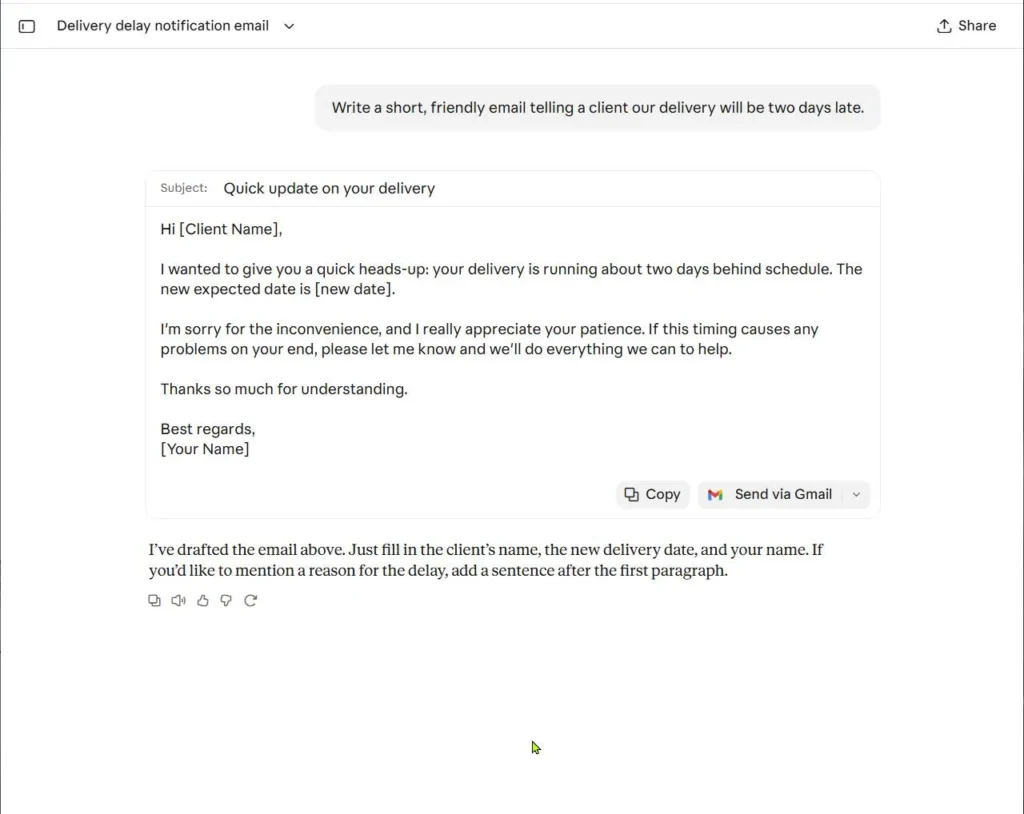
- Use Claude to write a client email that sounds like a person, or to tighten a proposal.
- Use ChatGPT to brainstorm, compare options, and keep tweaking a draft in a long chat.
- Use Gemini for quick drafts when you are already inside Gmail or Docs.
Want more ideas for business documents and proposals? See these AI writing tools use cases.
Difference 3: Meeting Notes and Document Summaries (Context and Memory)
Two terms matter here. A context window is how much text a chat can hold at once. Memory is what the chatbot remembers between chats.
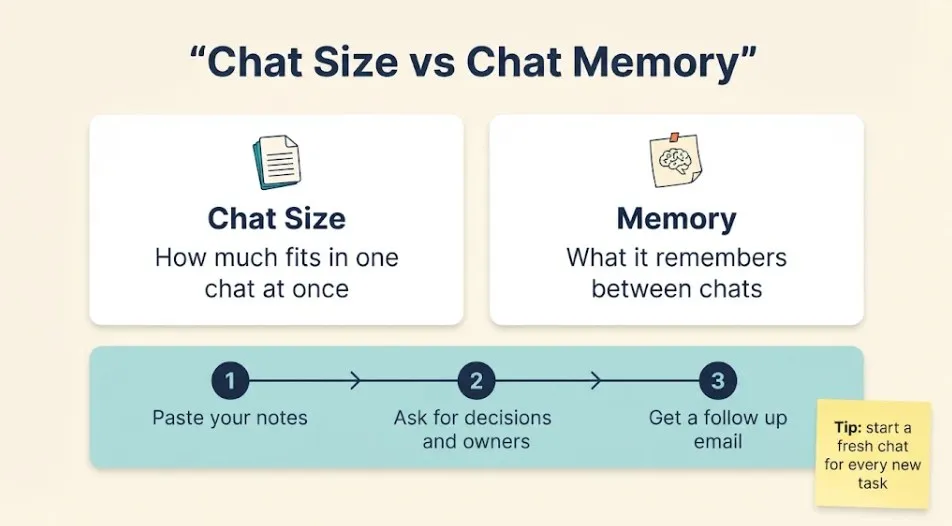
On context, ByteByteGo’s architecture breakdown says Gemini and Claude both offer up to one million tokens on their top models. OpenAI took a more conservative route and focuses on routing between models. Claude’s pricing page also notes that its window varies by model. For one meeting or one report, all three cope fine. Limits bite when you load a folder of documents or run one chat for days.
Long chats have another problem. ByteByteGo notes that quality can slip as a conversation fills up. The fix is simple. Start a fresh chat for each new task.
On memory, the plans differ:
- ChatGPT: Basic memory on Free and Go, extended memory on Plus and above, per Gradually AI.
- Claude: Memory across conversations is listed on every plan, including Free.
- Gemini: Google is rolling out a Memory summary screen that shows what Gemini remembers about you.
Here is a prompt that works on all three. It follows a tip from the Touro comparison: paste a messy transcript and ask for the useful parts.
Copy-and-paste prompt: “Here are my meeting notes. Pull out the decisions, the action items, and who owns each one. Then draft a short follow-up email to the team.”
More time-savers like this live in our guide to AI tools for productivity.
Difference 4: Work App Integrations (Google Workspace, Microsoft 365, Plugins)
In ChatGPT vs Claude vs Gemini, this difference decides more purchases than any benchmark. A chatbot that works inside your apps saves copy-and-paste time every day.
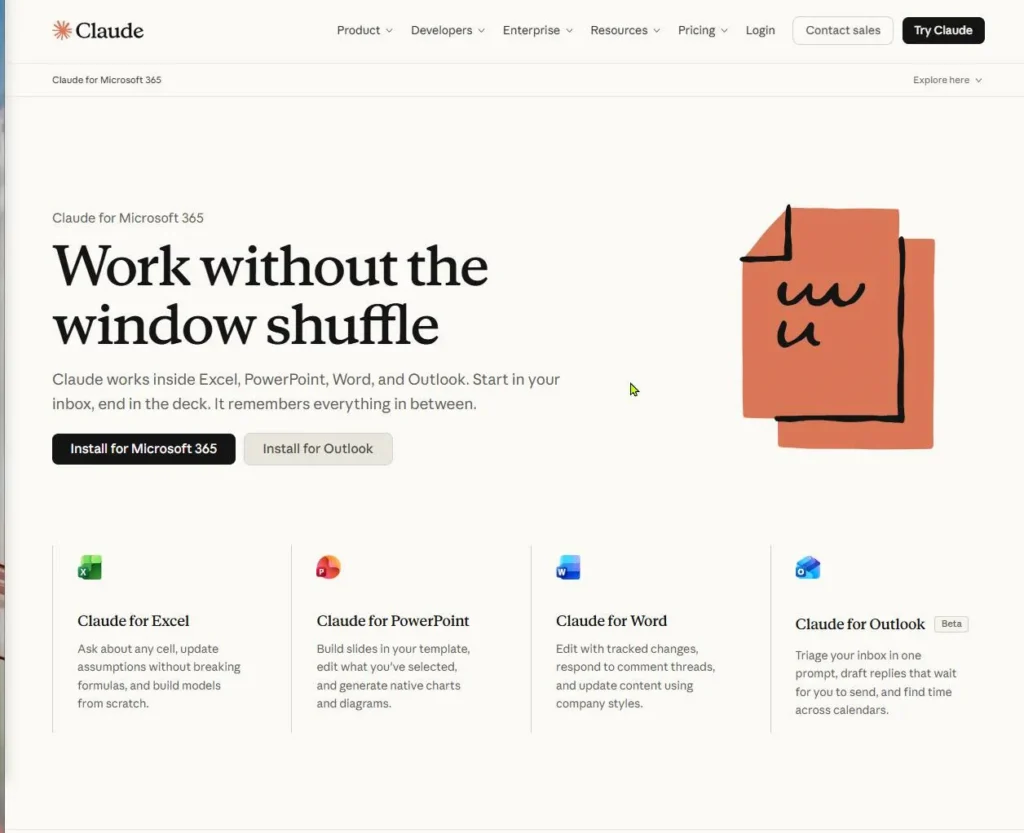
- Microsoft 365 (Word, Excel, PowerPoint, Outlook): Claude has the clearest story. Claude for Microsoft 365 works inside Excel, PowerPoint, and Word on all paid plans, with Outlook in beta. Word edits show as tracked changes. Outlook replies wait as drafts until you click send. ChatGPT lists Microsoft 365 connectors on its Business plan, per Gradually AI.
- Google Workspace (Gmail, Docs, Sheets): Gemini is the natural fit. AI Pro lists Gemini features in Gmail, Docs, and Sheets, per No Code MBA. Anthropic also lists a Claude for Google Workspace extension, and ChatGPT Business connects to Google Workspace too.
- Everything else: ChatGPT Plus adds scheduled tasks, plugins, and ChatGPT Work on all devices. That suits people who want one tool for many small jobs.
One warning if you rely on custom GPTs. Personal ChatGPT accounts can no longer create new ones. Existing GPTs stop working on December 11, 2026, and plugins replace them. Instructions and knowledge files carry over, but custom actions must be rebuilt. See Gradually AI’s plan guide for details.
The rule is simple. If your office runs on Microsoft, lean Claude or ChatGPT Business. If it runs on Google, lean Gemini.
Difference 5: Images, Voice, and File Handling
Most office work is text and documents. Still, a few differences are real.
- ChatGPT: Image generation and editing, plus voice with video starting on Go. The MakeUseOf writer removed an object from a photo in about two minutes, though other tools needed more work.
- Gemini: Built for mixed media from the start. ByteByteGo says it handles long video as easily as text. Its free tier also lists image generation and Gemini Live.
- Claude: Strong with documents, screenshots, and dense charts. It has voice mode on every plan. It does not generate images, which MakeUseOf confirmed in testing.
Need a chart read, a PDF summarized, or a screenshot explained? All three can do it. Need a quick graphic or a short video edit? Skip Claude for that job.
Difference 6: Accuracy, Pushback, and Reliability on Real Tasks
In ChatGPT vs Claude vs Gemini, no chatbot is always right. What differs is how each one fails.
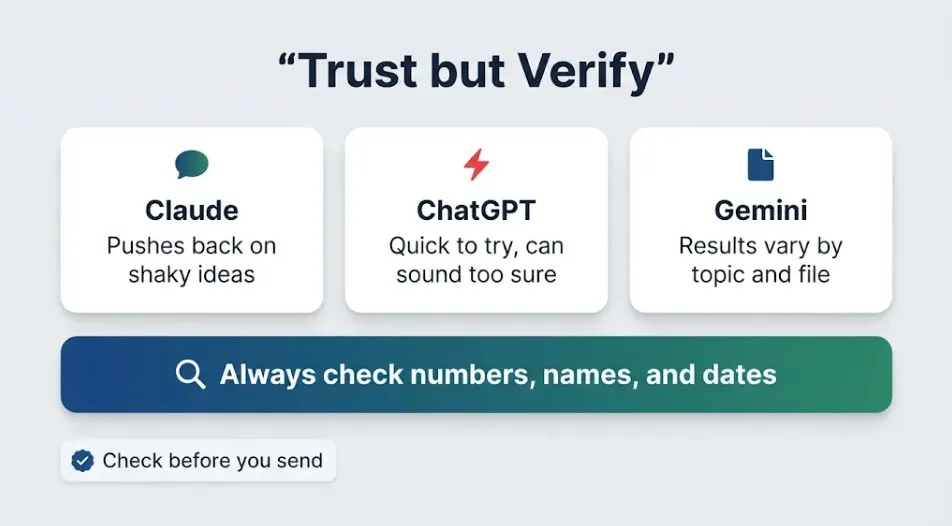
- Claude: Pushes back more often on shaky requests, according to ByteByteGo. That helps when your first idea has a flaw.
- ChatGPT: Quicker to attempt a task without questioning it. ByteByteGo also notes it can feel inconsistent, because it may route similar prompts to different models.
- Gemini: Results vary more by topic and file type. The Touro comparison adds that Gemini can refuse prompts it considers sensitive more often than the others.
On a real data task, UC Berkeley’s School of Information gave all three the same sales table with one hidden missing value. All three caught it. The difference was style. ChatGPT gave a tidy, shareable report. Gemini gave the most technical detail. Claude talked through the problem like a coworker.
You can also change how hard each one thinks. MakeUseOf notes ChatGPT offers Instant, Medium, and High modes. Gemini has low to high levels, and Claude runs from low to max. Use the faster setting for simple jobs and the deeper one for hard ones.
Whatever you pick, check numbers, names, and dates before you send anything. Our guide to the pros and cons of AI writing tools covers the accuracy and legal risks in more detail.
Difference 7: Privacy, Usage Limits, and How Easy It Is to Switch
This is the difference people check last and regret first.
Privacy on personal plans
- ChatGPT: On Free, Go, Plus, and Pro, your chats may help improve models by default. You can switch that off under Settings, then Data Controls. Business plans don’t train on your content by default, per Gradually AI.
- Claude: Anthropic’s pricing page lists model training as opt-out on individual plans and off by default on Team. Which? shows where the toggle lives in the app.
- Gemini: Google says a subset of chats is read by human reviewers, including trained reviewers from its service providers. See Google’s Gemini Apps privacy notice. Turn off Keep Activity to stop training. Google still saves chats for 72 hours, according to Which?.
The safe habit is the same everywhere. Don’t paste client data, contracts, or staff records into a personal plan. Ask your IT team about a work plan first.
Usage limits
Every paid plan has caps. Claude’s limit resets on a rolling five-hour window, with a weekly cap on top. Your web, desktop, and mobile use all draw from one pool. When you hit the cap, you can wait, upgrade, or turn on usage credits, as Anthropic explains in its usage limits guide. ChatGPT and Gemini don’t publish a fixed message count either, so judge them by a week of real work.
Switching and cancelling
You’re not locked in. Claude offers an Import to Claude page for bringing memory over from another assistant. This step-by-step migration guide shows how to move from ChatGPT without losing your setup.
Check the cancel rules before you enter a card. Claude lets you cancel anytime, and your plan runs to the end of the billing period. Cancel at least 24 hours before renewal. Payments are generally non-refundable, so a yearly Pro plan is a bigger bet. Here is how to cancel a paid Claude plan. ChatGPT Plus bills monthly, so it is easy to leave. Gemini’s paid plans are Google One memberships, so cancelling also changes your storage.
Same 3 Office Tasks, 3 Chatbots: Your 15-Minute ChatGPT vs Claude vs Gemini Test
Reviews help. Your own files help more. Every independent test above is a snapshot of someone else’s work, and the authors of the blind test in Difference 2 say as much. So run three small tasks on all three chatbots before you pay.
- The email. “Write a polite reply to a client who wants a refund after the deadline. Keep it under 120 words.”
- The meeting notes. Paste real notes and use the prompt from Difference 3.
- The report. Upload a real five-page document. Ask for five bullet points and three risks.
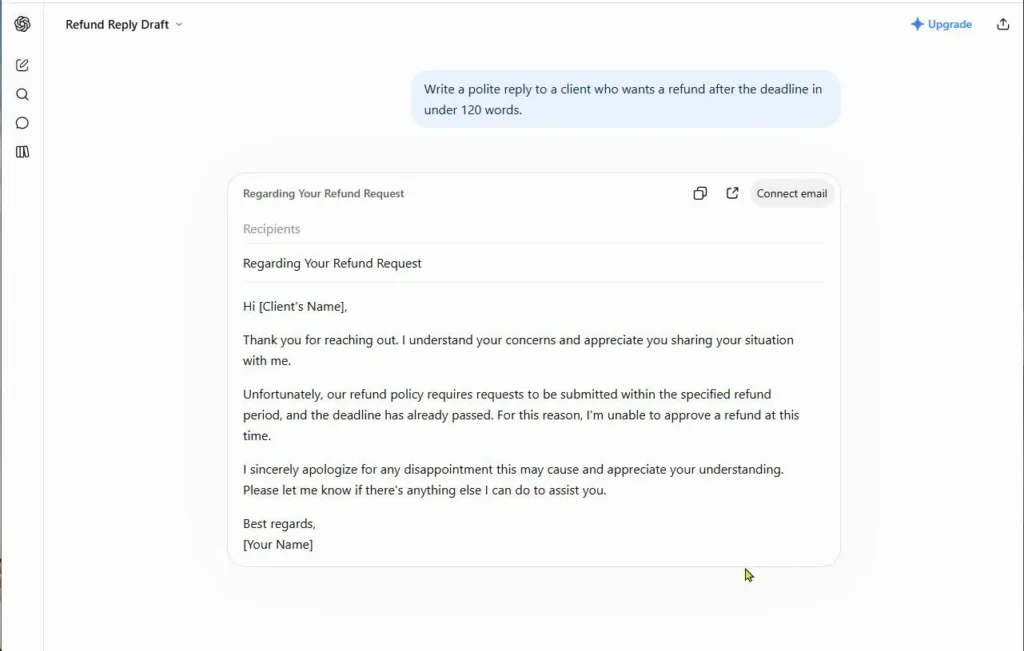
Score each answer from 1 to 5 on three questions. Would you send it with fewer than two edits? Did it follow your instructions? Did it invent any facts? Fill in a table like this one:
| Task | ChatGPT | Claude | Gemini |
|---|---|---|---|
| Client email | __ / 5 | __ / 5 | __ / 5 |
| Meeting notes | __ / 5 | __ / 5 | __ / 5 |
| Report summary | __ / 5 | __ / 5 | __ / 5 |
Use the free plans where you can. Then give the winner one paid month. Our checklist on how to test AI writing tools has seven more checks you can borrow.
Which Chatbot Should You Pay For? ChatGPT vs Claude vs Gemini Quick Picker by Work Type
Find your work type, then start with the best pick. The backup is what to try if the first one doesn’t click.
| Your work | Best pick | Why it fits | Backup |
|---|---|---|---|
| Emails, reports, proposals | Claude Pro | Most natural writing in the tests we read | ChatGPT Plus |
| Heavy Gmail, Docs, and Sheets use | Gemini AI Pro | Built into Google apps | ChatGPT Plus |
| Word, Excel, PowerPoint, and Outlook | Claude Pro | Add-ins with tracked changes and draft-only replies | ChatGPT Business |
| Brainstorming, images, and voice | ChatGPT Plus | Widest mix of features | Gemini AI Pro |
| Long documents and transcripts | Claude or Gemini | Very large context windows | ChatGPT Plus |
| Tight budget | Free plan, or Google AI Plus ($4.99) | Lowest cost, with model limits | ChatGPT Go ($8, ads) |
| Team with client data | A business plan | No training on your content by default | Your Workspace or Microsoft plan |
Still stuck? Our framework for choosing the right AI tools walks you through the decision step by step.
Mistakes to Avoid Before You Subscribe
- Paying before testing. Run the three-task test first. It takes 15 minutes.
- Jumping to a $100 plan. Max, Ultra, and the higher Pro tiers are for people who already hit the $20 limits.
- Pasting client data into a personal plan. Use a business plan or leave the data out.
- Ignoring ads and model limits. ChatGPT Free and Go may show ads. Gemini’s free plan is now limited to its lightest model.
- Paying yearly too early. Claude Pro saves a few dollars a month on a yearly plan, but payments are generally non-refundable. Go monthly first.
- Building your workflow on custom GPTs. They retire on December 11, 2026.
- Trusting the first answer. Check facts, figures, and quotes before they leave your desk.
Monthly check: Set a calendar reminder 25 days after you subscribe. Ask yourself one question: did I use this at least twice a week? If not, cancel.
Frequently Asked Questions
Which is best for office work: ChatGPT, Claude, or Gemini?
It depends on your tools. Claude suits writing and Microsoft 365. Gemini suits Gmail and Google Docs. ChatGPT is the best all-rounder if you also want images and voice. Run the three-task test above to confirm.
Is the free plan enough for daily work?
For light use, yes. Claude Free covers chat, files, and memory with usage caps. ChatGPT Free gives unlimited text chats but limits uploads and may show ads. Gemini’s free plan now uses only the lightest model. If you hit limits every day, move up one tier.
Which paid plan is cheapest?
In the US, Google AI Plus is $4.99 a month, ChatGPT Go is $8, and Claude Pro is $17 a month on a yearly plan or $20 monthly. Cheap plans come with trade-offs: Google AI Plus lacks the Pro model, and ChatGPT Go may show ads. See the pricing table in Difference 1.
Is it safe to paste work documents into these chatbots?
Not on a personal plan, if the content is confidential. Personal plans may use chats to improve models unless you opt out, and Gemini may send some chats to human reviewers. Business plans from OpenAI and Anthropic don’t train on your content by default. Ask your IT team before you share client data.
Can I switch chatbots without losing my chats and memory?
Mostly, yes. Claude has an Import to Claude page for bringing memory from another assistant. This migration guide shows the steps. Custom GPTs need extra work, because custom actions must be rebuilt as plugins.
Do I need to pay for all three?
No. Pay for one and keep the free plans of the other two as backups. Using several tools is fine, but paying for several rarely pays off. Read how to get the most out of AI tools before adding a second subscription.
How often do prices and limits change?
Often. In 2026 alone, ChatGPT added a $100 Pro tier, Google cut the AI Plus price to $4.99, and Gemini’s free model access changed in October. Always confirm on the official pages for ChatGPT, Claude, and Gemini before you pay.
Final Thoughts
The verdict: There is no single winner in ChatGPT vs Claude vs Gemini, but there is a right pick for you. Choose Claude Pro if you write a lot or work in Word, Excel, and Outlook. Choose Gemini AI Pro if your day lives in Gmail and Google Docs. Choose ChatGPT Plus if you want one tool that does a bit of everything, including images and voice.
Whichever you choose, start on the free plan, run the 15-minute test, and pay for one month before you commit. That single habit prevents most wrong subscriptions.
Want more tool comparisons and practical guides? Browse the AI Tools hub.